
If you travel to your customers rather than waiting for them to walk through your door, service area pages (SAPs) are one of the most direct ways to win local search traffic and turn it into enquiries. The immediate steps: identify your highest-value towns, draft one solid page template, publish it with a clear call to action and internal links, then replicate it carefully. One warning before you start: copy-paste pages that only swap a town name are treated as spam by Google and can harm your whole site.
Start here:
- Identify your highest-revenue towns or postcodes first
- Build one well-written template page before scaling
- Publish with a phone number, contact form, and links to your main service pages
- Never create near-identical pages that differ only by location name
Key takeaways
Well-built service area pages, each with unique local content, a clear CTA, and proper schema, are the most direct route to capturing local search traffic for businesses that travel to their customers.
| Point | Details |
|---|---|
| Build quality over quantity | Start with five strong SAPs for your primary towns before scaling to secondary areas. |
| Unique content per page | Each SAP must include local testimonials, specific postcodes, and location-relevant FAQs. |
| Technical foundations matter | Every SAP needs a self-referencing canonical, an entry in your sitemap, and at least one internal link. |
| Measure calls, not just clicks | Assign a tracked phone number to each SAP and monitor call volume as your primary conversion metric. |
| Ace-sites simplifies deployment | Unlimited pages, built-in SEO fields, and a done-for-you option mean SAPs can go live in hours, not weeks. |
Table of Contents
- Why do service area pages matter for UK local SEO?
- What should you put on a service area page?
- Technical and indexing considerations for SAPs
- How do you avoid doorway pages and thin content?
- Which towns and cities should you build SAPs for first?
- Ready-made SAP template and UK content snippets
- How Ace-sites helps you build and publish SAPs
- How to measure SAP performance and keep pages up to date
- The mistake most local businesses make with SAPs
- Ace-sites gets your SAPs live without the agency price tag
- Useful sources and further reading
Why do service area pages matter for UK local SEO?
When someone in Coventry searches "emergency electrician Coventry" or "carpet cleaner near me," Google looks for pages that specifically mention that location alongside the relevant service. Without a dedicated SAP, your homepage or generic services page has to compete against businesses that have built location-specific content. That is a fight you will usually lose.
Backlinko notes that well-structured local pages are increasingly used as sources for AI-generated search answers. Pages that answer common local questions and demonstrate genuine local knowledge are favoured. That means an SAP is no longer just a ranking tool; it is a way to appear in AI overviews and featured snippets too.
The conversion case is just as strong as the SEO case. A visitor who lands on a page that names their town, shows a local testimonial, and offers a click-to-call button is far more likely to get in touch than one who lands on a generic services page. Local trust signals, specific service details, and a clear booking path all reduce the friction between a search and a phone call.
Benefits of well-built service area pages:
- Capture "near me" and "[service] in [city]" searches without needing multiple offices
- Build location-specific trust with local testimonials and case studies
- Feed directly into your Google Business Profile by giving you a relevant URL to link from your GBP listing
- Improve click-through rates from local search results by matching the searcher's exact query
- Create a clear booking or contact path that turns organic traffic into calls and form submissions
Linking your SAPs from local citations, directory listings, and your GBP profile also strengthens the authority of those pages. The more consistent and connected your local presence, the stronger each individual page performs. For a broader look at local ranking tactics, it is worth reading alongside this guide.
What should you put on a service area page?
The structure below is a practical template you can follow for every SAP you build. Each component earns its place by either helping Google understand the page or helping a visitor decide to contact you.
Core page components
| Component | Purpose | Placement | UK example |
|---|---|---|---|
| URL | Signals location + service to Google | /services/boiler-repair-sheffield/ | /services/emergency-plumber-leeds/ |
| Title tag | Primary ranking signal | <title> | "Boiler Repair in Sheffield |
| H1 | Confirms page topic to visitor | Top of page | "Boiler Repair in Sheffield" |
| Opening paragraph | Captures local intent, includes primary keyword | First paragraph | "Looking for a Gas Safe boiler engineer in Sheffield? We cover S1–S20 postcodes..." |
| Service list | Explains what you offer in this area | Mid-page | Bulleted list of services with brief descriptions |
| Local proof | Builds trust with location-specific evidence | Mid to lower page | Testimonial from a customer in that town, or a brief case study |
| Local FAQs | Answers common questions, supports AI snippets | Lower page | "Do you cover Hillsborough?" / "How quickly can you reach Rotherham?" |
| Contact CTA | Converts visitors into leads | Above the fold + bottom | Click-to-call button, contact form, booking widget |
| Map embed | Optional but useful for radius clarity | Lower page | Google Maps embed showing your service area |
Schema markup
Use LocalBusiness schema with an areaServed property listing the towns or postcodes you cover. If you offer a specific service, nest a Service schema inside it. The minimum fields to include are name, telephone, url, areaServed, and serviceType.
A minimal example:
{
  "@context": "https://schema.org",
  "@type": "LocalBusiness",
  "name": "Sheffield Boiler Repairs",
  "telephone": "0114 XXX XXXX",
  "url": "https://yoursite.co.uk/services/boiler-repair-sheffield/",
  "areaServed": [
    {"@type": "City", "name": "Sheffield"},
    {"@type": "City", "name": "Rotherham"}
  ],
  "serviceType": "Boiler Repair"
}
For a full walkthrough of schema implementation, the local business schema guide covers every field with UK-specific examples.
CTA best practices
- Place your primary CTA above the fold so visitors see it without scrolling
- Use one primary action per page (call, book, or enquire — not all three equally)
- Use trackable phone numbers so you can attribute calls to specific SAPs
- Embed a booking widget if your service allows online scheduling
Pro Tip: Name your images with the location in the file name (e.g., boiler-repair-sheffield-job.jpg) and write a caption that references the area. A photo of a completed job with a brief caption like "Boiler replacement in Hillsborough, Sheffield" adds localisation signals that generic stock photos cannot.
Technical and indexing considerations for SAPs
A page that Google cannot find or crawl will not rank, no matter how well it is written. These are the technical steps that keep your SAPs visible and properly indexed.
Crawlability checklist:
- Include every SAP in your HTML sitemap and submit it via Google Search Console
- Link to each SAP from at least one other page on your site (a hub page, a service page, or the homepage footer)
- Avoid hiding SAPs behind JavaScript-only navigation; Google needs a standard HTML link to discover and crawl the page
- Do not block SAPs in
robots.txtunless you have a specific reason to exclude them - Use
noindexonly on pages you genuinely do not want ranked (for example, a staging version)
Canonicalisation and duplicate content
When you build multiple SAPs covering similar services, the content will naturally overlap. Use a self-referencing canonical tag on each page (<link rel="canonical" href="https://yoursite.co.uk/services/boiler-repair-sheffield/" />) to confirm to Google which version is the primary one. Do not point all SAPs to a single canonical URL — that defeats the purpose of having separate pages.
| Technical element | Recommended action | Common mistake |
|---|---|---|
| HTML sitemap | Include all SAPs | Omitting new pages after publishing |
| Internal links | Link from service hub and homepage | Orphan pages with no inbound links |
| Canonical tag | Self-referencing on each SAP | Pointing all SAPs to one parent page |
robots.txt | Allow indexing of all live SAPs | Accidentally blocking the /services/ folder |
| Schema | LocalBusiness + areaServed per page | Using identical schema across all SAPs |
| NAP consistency | Same name, address, phone on every page | Different phone numbers breaking attribution |
Keep your NAP (name, address, phone) consistent across all SAPs and your GBP listing. If you use tracked phone numbers for analytics, use a single tracking number per SAP rather than rotating numbers, which can confuse both users and search engines.
How do you avoid doorway pages and thin content?
Google's spam policies explicitly warn against doorway pages: pages created to rank for specific location queries that offer little unique value to the visitor. A set of 50 pages where only the town name changes is a textbook example. The risk is real: Google can demote or deindex the affected pages, and in serious cases the whole site suffers.
The practical test is simple. If you removed the town name from your SAP and it read identically to every other SAP on your site, it is a doorway page.
Do this:
- Write a unique opening paragraph for each location that references local landmarks, postcodes, or neighbourhoods
- Include at least one testimonial or case study from a customer in that specific area
- Add location-specific FAQs (response times, coverage postcodes, local pricing if relevant)
- Reference local context: "We cover the S1–S20 postcode area, including Hillsborough, Crookes, and Ecclesall"
Avoid this:
- Swapping only the town name while keeping every other sentence identical
- Using AI-generated text without editing it to add genuine local detail
- Creating pages for towns you rarely or never actually serve
- Linking to SAPs only from a hidden sitemap with no editorial context
Quality check before you publish: Does this page answer a real question a local customer would ask? Does it include proof that you actually work in this area? Is there a clear way to contact you? If the answer to any of those is no, the page is not ready.
Linking to your SAPs from your GBP listing is encouraged and does not contravene any Google guidance, provided the pages themselves are genuinely useful. Search Engine Land's guide recommends linking your GBP website URL to the most relevant SAP rather than always pointing to the homepage.
Which towns and cities should you build SAPs for first?
Not every town in your service radius deserves its own page on day one. Building 40 thin pages at once is slower to produce results than building five strong ones. The right prioritisation comes down to four factors: business volume, revenue potential, travel time, and competitive opportunity.
Prioritisation rules:
- Start with the towns that already send you the most enquiries or revenue
- Target locations where competitors have weak or no SAP coverage
- Prioritise towns within a short drive for primary pages; longer drives for secondary pages
- Only build pages for locations that you genuinely serve regularly even if they are farther away
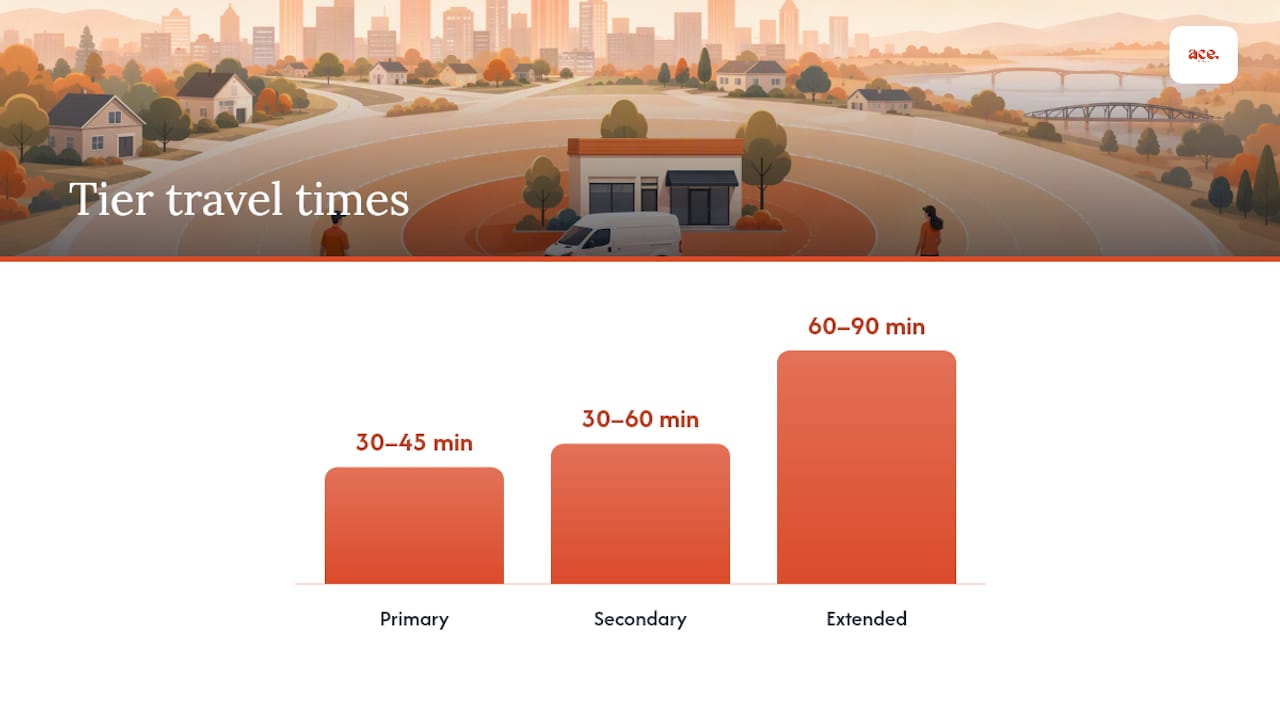
ContentAmigo's research reinforces the case for building fewer, stronger pages first rather than generating large numbers of thin ones. Real service businesses, including roofing contractors in the US, commonly use a tiered radius model: primary areas with the fastest response, secondary areas with slightly longer lead times, and extended areas served by appointment.
| Tier | Travel time | Page priority | UK example |
|---|---|---|---|
| Primary | 30–45 minutes | Build first, most detailed | Your home town + 2–3 adjacent towns |
| Secondary | 30–60 minutes | Build after primary pages are live | Larger nearby cities or commuter towns |
| Extended | 60–90 minutes | Build only if demand justifies it | Regional centres you visit regularly |
Effort estimate per page:
- Research and outline: 30–45 minutes
- Writing unique content: 60–90 minutes
- Adding schema, images, and CTA: 30 minutes
- Total per page: roughly 2–3 hours for a quality result
A sensible staging plan: publish your first five SAPs covering your primary market, measure their performance for 6–8 weeks, then build the next batch. Avoid building beyond your capacity to maintain them. A page that goes stale with outdated testimonials or incorrect contact details does more harm than no page at all.
Ready-made SAP template and UK content snippets
The template below gives you a working structure. Adapt the copy for your trade and your towns; the word counts are targets, not hard rules.
| Section | Suggested word count | Notes |
|---|---|---|
| H1 + opening paragraph | — | Include service + location + a local detail |
| Services offered in this area | — | Bulleted list with brief descriptions |
| Why choose us in [town] | — | Local proof, years serving the area, accreditations |
| Customer testimonials | 60 words | At least one from this specific area |
| Local FAQs | — | 3–5 questions with short answers |
| Contact CTA | 30–50 words | Phone, form, or booking widget with a clear instruction |
| Total | about 500 words | Enough to be genuinely useful; not so long it buries the CTA |
Three UK example snippets
1. Boiler repair in Brighton H1: Boiler Repair in Brighton Intro: "Need a Gas Safe engineer in Brighton? We cover BN1–BN3 and surrounding areas, with same-day appointments available across Hove, Kemp Town, and Portslade. Call us before noon for a same-day slot."
2. Emergency plumber serving Greater Manchester H1: Emergency Plumber in Greater Manchester Intro: "Burst pipe at midnight in Salford? We cover the whole of Greater Manchester, including Manchester city centre, Stockport, and Oldham, with a 60-minute response guarantee. One call gets you a qualified plumber on the way."
3. Mobile dog groomer in Bristol H1: Mobile Dog Grooming in Bristol Intro: "We bring the grooming salon to your door across Bristol, covering BS1–BS16 and nearby areas including Clifton, Bedminster, and Fishponds. No kennels, no stress for your dog."
Tone and voice for SAP copy
Write as if you are talking to a neighbour, not filing a report. Use "we cover," "you can call us," and "get in touch" rather than passive constructions. Keep sentences short. The CTA button copy matters too: "Book a free quote" outperforms "Submit enquiry" every time. For trade businesses, phrases like "No call-out fee" or "Gas Safe registered" in the opening paragraph address the first objection before the visitor even thinks to ask.
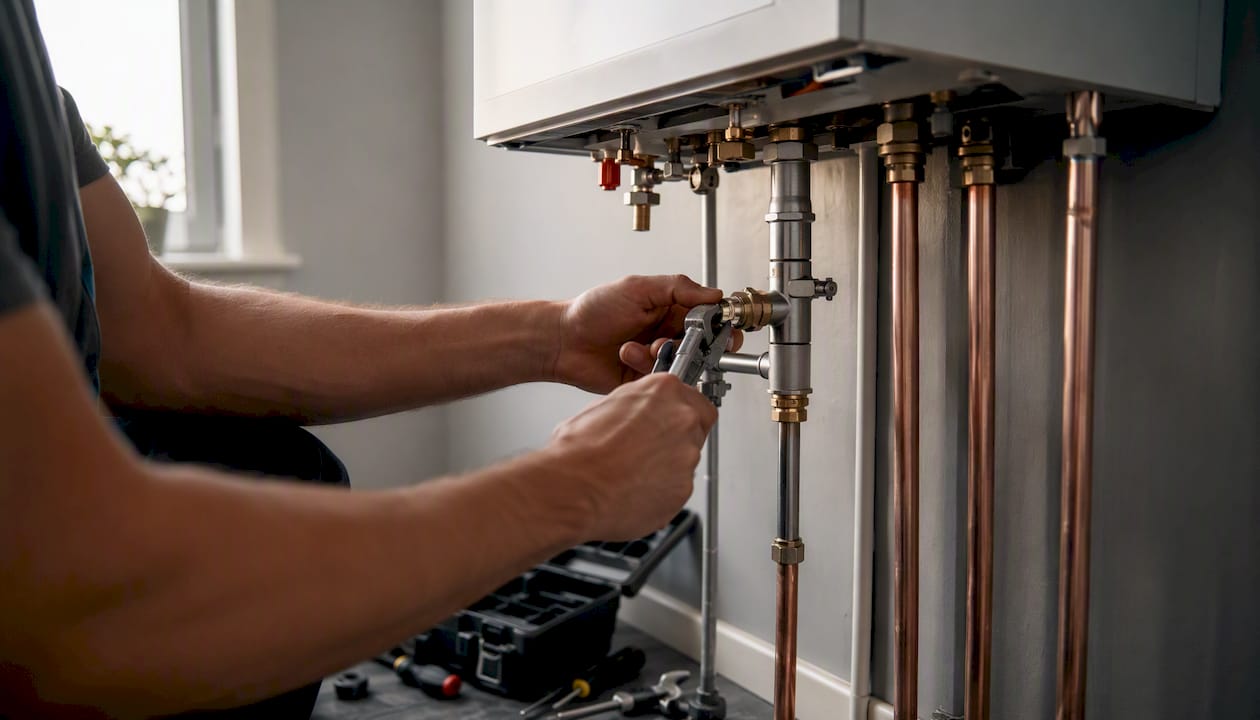
Pro Tip: Use photos of actual completed jobs in the area rather than stock images. A photo captioned "New boiler installation in Hove, East Sussex" tells both Google and your visitor that you genuinely work in that location.
For sector-specific examples of how trade businesses structure their pages, the electricians' website guide shows how the same principles apply across different trades.
How Ace-sites helps you build and publish SAPs
Ace-sites is built for exactly this kind of work; understanding when to create a landing page versus a microsite can help you decide your SAP approach (see Landing Page vs Microsite: Which One Does Your .VEGAS Brand Need?). The platform gives you unlimited pages, so you can create as many SAPs as your service area requires without hitting a page cap or paying extra. The built-in SEO fields let you set a custom title tag, meta description, and URL slug for every page, which covers the core on-page requirements without touching any code.
The booking widget embed means your CTA is live from day one. Drop it into any SAP and visitors can book directly from the page. The contact form builder handles enquiry capture for services that do not suit online booking.
For businesses that want pages live faster, the done-for-you service handles the build entirely. Ace-sites designs and publishes your site, including your SAPs, typically within a few working days. You review it before paying a penny.
Ace-sites features that map directly to SAP best practice:
- Unlimited pages with individual SEO fields (title, meta, slug)
- Mobile-optimised templates that load quickly on all devices
- Booking widget embeds for above-the-fold CTAs
- Blog manager for publishing local content that supports SAP authority
- SSL certificate included, which is a baseline trust signal for local search
- Portfolio examples showing real local business sites built on the platform
Internal linking is straightforward in the Ace-sites editor: link from your main services page to each SAP and back again, following the integrated structure that Search Engine Land recommends for multi-location SEO.
How to measure SAP performance and keep pages up to date
Publishing a page is the start, not the finish. Tracking performance tells you which SAPs are working and which need attention.
Analytics setup
Use UTM parameters on any links pointing to your SAPs from external sources (GBP, directory listings, social profiles). This separates organic search traffic from referral traffic in your reports. For phone tracking, a number pool of one unique number per SAP is enough for most small businesses.
A/B testing CTAs
Most website platforms, including Ace-sites, allow you to duplicate a page and test a different headline or CTA button. Run one variant at a time, give it at least four weeks of traffic, and measure call or form conversion rate rather than just page views. A change from "Get a quote" to "Call us now, no call-out fee" can meaningfully shift conversion rates on SAPs for trade businesses.
The mistake most local businesses make with SAPs
The most common error is treating service area pages as a volume exercise. A business owner reads that they should have a page for every town they serve, spins up 30 near-identical pages in an afternoon, and then wonders why nothing ranks. The pages look like doorway pages because they are doorway pages: same intro, same service list, different town name in the H1.
The second most common mistake is the opposite: building one genuinely good page and then doing nothing with it. No internal links from the service pages. No link from the GBP listing. No tracked phone number. The page exists but it is effectively invisible to both Google and to the business owner.
Here is a brief example of what fixing both problems looks like in practice. A sole-trader window cleaner in the East Midlands had a homepage and a single "Areas we cover" page listing 12 towns in a bullet list. No individual pages, no local content, no tracked calls. After rebuilding the site with five individual SAPs, each with a local testimonial, a postcode list, and a tracked number, organic calls from local search increased noticeably within eight weeks. The pages that performed best were the ones with the most specific local detail, not the longest word counts.
The lesson: one well-written SAP with a real testimonial and a working click-to-call button will outperform ten thin pages every time. Start small, make each page genuinely useful, and build from there.
Ace-sites gets your SAPs live without the agency price tag
Building proper service area pages takes time, but the technical setup does not have to be complicated. Ace-sites gives you a platform where every page has its own SEO fields, your booking widget is ready to embed, and your site is mobile-optimised from the start. There are no hidden costs and no long-term contracts to worry about.
If you would rather hand the build to someone else, the done-for-you website service covers everything: design, content structure, SAP setup, and internal linking. You see the finished site before you pay anything. For businesses that want to build their own, the full features list shows exactly what is included. Either way, you can be live with a professional site and your first SAPs within a working day.
Useful sources and further reading
The sources below are worth bookmarking if you want to go deeper on any part of this guide.
- How to Do Service Area Page SEO for Local Search Visibility
- Service area pages: Boost local SEO across locations
- Location pages: Building location pages, local landing pages, and service area pages
- Location page SEO: How to create optimized location pages
- Spam policies — Google Developers
- Multi-location SEO structure: geographic pages
- Service‑area page examples, best practices & must‑have elements
- Chicago roofing service areas — UAC
Pair these with the local SEO ranking guide on Ace-sites for a complete picture of how SAPs fit into your broader local search strategy. The combination of authoritative external guidance and a platform that handles the technical groundwork is the fastest route from reading about SAPs to having them live and working.