
LocalBusiness schema markup is the structured data code that tells Google, Bing, and AI search engines exactly what your business is, where you are, and when you are open. If you run a local business in the UK and your website does not have it, you are leaving search visibility on the table.
Here is what schema markup actually does for you:
- It feeds Google precise details: your business name, address, phone number, and opening hours in a format search engines can read without guessing.
- Pages with complete LocalBusiness schema rank in the local pack significantly more often than identical pages without it.
- It improves your click-through rate by making your listing more attractive in search results, with stars, hours, and pricing visible at a glance.
- It works alongside your Google Business Profile to confirm your business is legitimate and your contact details are consistent.
- Schema acts as a quality signal rather than a direct ranking factor, but richer, more attractive results drive more clicks.
- Using the most specific sub-type available (Restaurant, Plumber, Dentist) gives Google and AI engines far more context than the generic LocalBusiness label.
- Matching your schema data exactly to your Google Business Profile is non-negotiable. Any mismatch can suppress your local pack ranking.
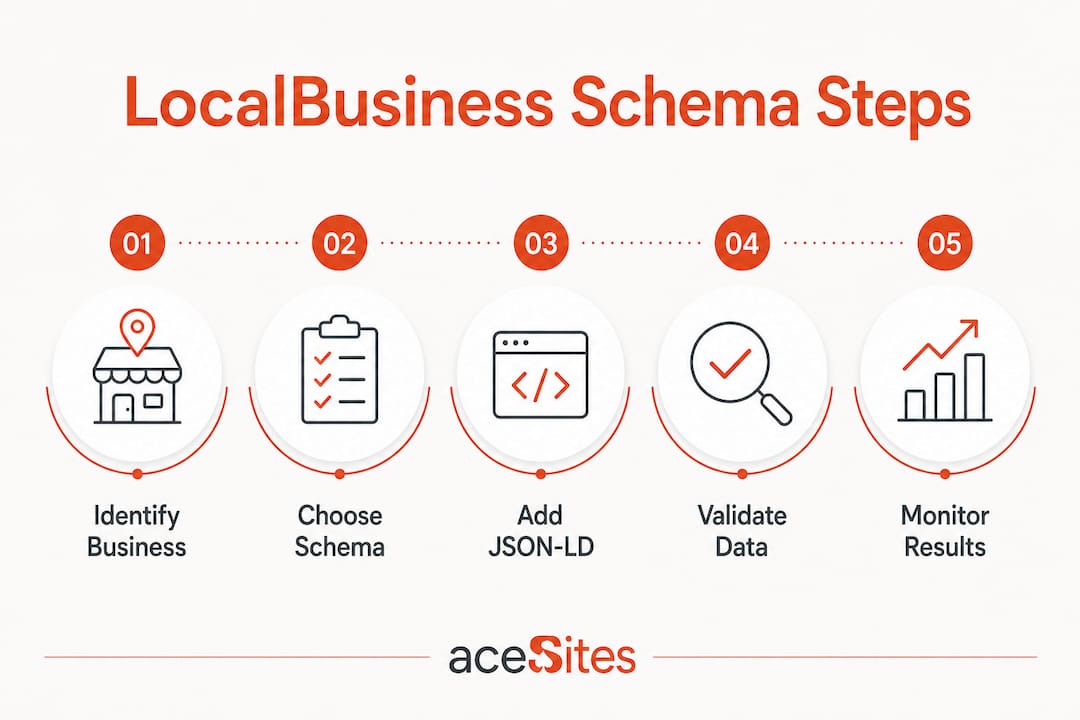
How to add LocalBusiness schema to your website
JSON-LD is the format Google recommends for all structured data. You add it as a <script type="application/ld+json"> block inside the <head> of your page. No visual change to your site, no interference with your design.
Required fields you must include
Google's required properties for a valid LocalBusiness schema are:
@type— the most specific sub-type (e.g.Plumber,Restaurant,Dentist)name— must match your Google Business Profile name character-for-characteraddress— structured as aPostalAddresswithstreetAddress,addressLocality,postalCode, andaddressCountrytelephone— in international format, e.g.+44-20-7123-4567
Recommended fields that unlock richer results
geo— latitude and longitude with at least 5 decimal places of precisionopeningHoursSpecification— one entry per day group, including closed dayspriceRange— use£,££, or£££for UK businessesimage— hosted on your domain, minimum 1200×675 pixelsurl— your canonical homepage or location pagesameAs— an array linking to your Google Business Profile, Facebook, and any relevant directories
Sample JSON-LD for a UK local business
{
  "@context": "https://schema.org",
  "@type": "Plumber",
  "name": "Ace Plumbing Services",
  "address": {
    "@type": "PostalAddress",
    "streetAddress": "12 High Street",
    "addressLocality": "Birmingham",
    "postalCode": "B1 1AA",
    "addressCountry": "GB"
  },
  "telephone": "+44-121-456-7890",
  "url": "https://www.aceplumbing.co.uk",
  "geo": {
    "@type": "GeoCoordinates",
    "latitude": 52.48142,
    "longitude": -1.89983
  },
  "openingHoursSpecification": [
    {
      "@type": "OpeningHoursSpecification",
      "dayOfWeek": ["Monday","Tuesday","Wednesday","Thursday","Friday"],
      "opens": "08:00",
      "closes": "18:00"
    }
  ],
  "priceRange": "££",
  "sameAs": [
    "https://www.google.com/maps/place/your-gbp-link"
  ]
}
Pro Tip: Manual JSON-LD injection delivers cleaner results than relying on SEO plugins. Plugins can create duplicate schema blocks and code bloat that confuse Google's parser.
"Use the most specific LocalBusiness sub-type possible; for example, Restaurant, DaySpa, HealthClub, and so on." — Google Search Central
Once your code is in place, validate it with Google's Rich Results Test and the Schema.org Validator. Both tools flag errors before they cost you ranking.
Implementation best practices at a glance:
- Place schema on your homepage, contact page, and each individual location page.
- Use one LocalBusiness block per physical location, not one block for all locations.
- Keep every field consistent with your Google Business Profile.
- Revalidate after any business detail changes (new hours, new address, new phone number).
LocalBusiness schema examples for common UK business types
Schema.org defines over 200 LocalBusiness sub-types, each unlocking properties specific to that business category. Picking the right one is the single most impactful decision in your markup.

| Business type | Recommended @type | Key extra properties |
|---|---|---|
| Restaurant or café | Restaurant | servesCuisine, menu, acceptsReservations |
| Dental practice | Dentist | medicalSpecialty (e.g. CosmeticDentistry) |
| Plumber or electrician | Plumber / Electrician | areaServed |
| Hair salon or beauty spa | HairSalon / DaySpa | priceRange |
| Solicitor or legal firm | Attorney | areaServed |
| Accountant | AccountingService | sameAs (Companies House, professional body) |
| Estate agent | RealEstateAgent | areaServed, geo |
| GP or private clinic | MedicalBusiness | medicalSpecialty |
A restaurant in Manchester, for example, would use "@type": "Restaurant" and add "servesCuisine": "Indian" to appear in cuisine-filter local pack results. A cosmetic dentist in London would use "@type": "Dentist" with "medicalSpecialty": "CosmeticDentistry" to surface in health-specific rich results.
Pro Tip: If you run a chain with multiple UK locations, each branch needs its own LocalBusiness block on its own location page. Link each one back to a sitewide Organisation entity using the parentOrganization property.
For businesses without a customer-facing premises, such as a mobile dog groomer or a cleaning company covering the West Midlands, use areaServed in place of a physical address. This keeps your schema valid and your service area clear to Google.
Common UK sub-type choices:
HomeAndConstructionBusinesscovers builders, roofers, and HVAC engineers.FinancialServicecovers mortgage brokers, insurance advisers, and bookkeepers.ProfessionalServiceis the catch-all when nothing more specific fits.
Google's guidelines and what you must get right
Google is clear: miss the required fields and you lose eligibility for local rich results entirely. Get the required fields right but skip the recommended ones, and you get a reduced version of the rich result.
The most critical rule is exact matching. Your schema name must match your Google Business Profile name precisely, including any legal suffix such as "Ltd" or "& Sons." The same applies to your address and phone number. Inconsistent NAP data between your schema and your GBP listing creates conflicting signals and can suppress your local pack position.
Compliance checklist:
@typeuses the most specific sub-type available on schema.org.namematches GBP exactly, including punctuation and legal suffixes.addressis a structuredPostalAddressobject, not a plain text string.telephoneuses international format with+44prefix.geocoordinates have at least 5 decimal places.openingHoursSpecificationcovers all seven days, including closed days.aggregateRatingis only included if real reviews are visible on the page.- Schema is placed on the homepage, contact page, and location pages only.
- Google emphasises that schema requires ongoing updates to maintain rich result eligibility.
Avoid placing LocalBusiness schema on every page of your site. Spreading it across blog posts or service pages dilutes the signal and can confuse Google's entity association.
Fixing common LocalBusiness schema errors
Most schema problems come down to a handful of repeatable mistakes. Here is what to look for and how to sort it.
- Missing required fields. If
name,address, or@typeis absent, your markup fails Google's validation and you lose rich result eligibility immediately. - Wrong telephone format. UK numbers must use
+44followed by the number without the leading zero.+44-121-456-7890, not0121 456 7890. - Name mismatch with GBP. Even a missing "Ltd" or an extra comma can trigger ranking suppression. Check character-for-character.
- Plain text address. Writing
"address": "12 High Street, Birmingham, B1 1AA"is not valid for Google. It must be a structuredPostalAddressobject. - Duplicate schema blocks. SEO plugins sometimes generate their own schema alongside manually added code. Use the Rich Results Test to check for duplicates.
- Stale data. If your hours change seasonally or you move premises, update your schema the same day you update your GBP.
Tools to validate and audit your markup:
- Google Rich Results Test — previews which rich results your markup qualifies for.
- Schema.org Validator — flags structural errors in your JSON-LD.
- Google Search Console — shows structured data errors and warnings across your whole site.
For multi-location businesses, audit each location page separately. A single broken block on one branch page can suppress that location's local pack visibility without affecting the others.
How LocalBusiness schema supports AI search and keeps your local SEO future-ready
AI search tools, including Google's Search Generative Experience, ChatGPT, and Perplexity, rely heavily on structured data when generating local answers. When someone asks "best plumber near me" or "Italian restaurant in Leeds," these tools parse LocalBusiness JSON-LD to decide which businesses to cite.

LocalBusiness schema forms the foundation of a trustworthy AI search signal. The strongest signals for AI citation are sub-type specificity, a complete sameAs array linking to your GBP, Yelp, and Facebook, and an aggregateRating with a verifiable review count. Understanding how new businesses get discovered locally makes clear that structured data is now central to that process, not optional.
Pairing your schema with a well-maintained Google Business Profile compounds the effect. Neither replaces the other. GBP controls your Maps listing and posts; schema confirms your website-side signals and tells Google your NAP is consistent across the web. Together, they build the entity association that AI engines use to trust and cite your business.
Benefits of keeping your schema current:
- AI search tools cite businesses with complete, accurate structured data more reliably.
- Rich results (star ratings, hours, price range) increase click-through rates from standard search listings.
- Consistent NAP across schema, GBP, and third-party directories strengthens your local pack position.
- Synchronising schema with your GBP is the single most effective step for avoiding local pack suppression.
For UK businesses building or refreshing their websites in 2026, schema is not a one-time task. Treat it as part of your regular site maintenance, alongside updating your GBP and checking your local citations. Your local SEO strategy and your schema markup should move together.
Get your website schema-ready with Ace-sites
Ace-sites builds professional websites for UK local businesses with built-in SEO tools and clean, custom JSON-LD schema injection included. You do not need to touch a line of code. The done-for-you website service handles your LocalBusiness schema, your Google Business Profile alignment, and your site structure from day one. See what a properly built local business website looks like at ace-sites.co.uk.
Key takeaways
LocalBusiness schema markup is the most direct way to tell Google and AI search engines exactly who you are and where to find you, making it a core part of any UK local SEO strategy.
| Point | Details |
|---|---|
| Use the most specific sub-type | Choose Dentist, Plumber, or Restaurant over the generic LocalBusiness type for richer results. |
| Match your Google Business Profile exactly | Your schema name, address, and phone must be character-for-character identical to your GBP listing. |
| Geo coordinates matter | Include latitude and longitude with at least 5 decimal places for precise local placement. |
| Validate before and after changes | Use Google's Rich Results Test and Schema.org Validator every time you update business details. |
| Schema needs ongoing maintenance | Update your markup whenever hours, address, or contact details change to keep rich result eligibility. |