
Your website's speed comes down to three moves: measure it, fix the biggest offenders, then verify the fix worked. Run PageSpeed Insights or Lighthouse and note your Core Web Vitals scores (LCP, INP and CLS). Then start where the wins are biggest.
- Measure first. Get baseline numbers before you touch anything.
- Fix the heavy stuff. Compress images, switch on caching, strip out scripts you don't need.
- Escalate if needed. If problems persist, look at your host, your CDN and your code.
- Verify. Re-run your tests and check field data, not just lab results.
Pro Tip: Don't chase every red flag PageSpeed Insights throws at you. Fix the top two or three issues, retest, then move to the next batch. Trying to fix everything at once is how projects stall.
Table of Contents
- How to measure your site now: tools to run and metrics to record
- Quick wins you can do today: images, caching, lazy loading and plugin cleanup
- Deeper technical fixes: hosting, CDN, protocols and code-level changes
- Monitor, verify and set a performance budget using field data
- A checklist for busy owners: what to do and when
- Improve website speed the right way: what actually matters
- What most speed advice gets backwards
- Frequently asked questions
- Sources
How to measure your site now: tools to run and metrics to record
You can't improve what you haven't measured, and guessing wastes time you don't have. Start with a proper lab test, then cross-check it with a look under the bonnet in your browser.
- Run PageSpeed Insights or Lighthouse. Record your LCP, INP and CLS scores — these are the three metrics Google treats as the core signals of a good user experience. LCP measures how fast your main content loads, INP measures how responsive your page feels when someone clicks or taps, and CLS measures whether things jump around while loading.
- Note your TTFB (Time to First Byte) and flag your largest resource sizes. If a single hero image is 4MB, you've found your first fix.
- Open Chrome DevTools. The Network panel shows you exactly which requests are slow and which scripts are blocking the page from rendering. The Performance panel gives you a visual timeline of what's happening and when.
- Collect field data where you can. Lab tools test one load on one device. Field data from the Chrome UX Report (CrUX) or Real User Monitoring (RUM) tools shows how your actual visitors experience the site, on their actual phones, over their actual broadband.
Field data matters because lab scores can look fine while real visitors on patchy 4G connections have a rougher ride. Both views matter, but if you only have time for one, prioritise the pages people actually land on and buy from.
Quick wins you can do today: images, caching, lazy loading and plugin cleanup
Page weight is the single biggest factor in how fast a site feels, and images are usually the heaviest thing on the page. Start there.
- Resize and compress every image before it goes near your site. A photo straight off a phone camera can be five times larger than it needs to be.
- Serve modern formats. WebP and AVIF shrink file sizes considerably compared with older JPEG and PNG files, without a visible drop in quality.
- Use srcset for responsive images, so a phone downloads a phone-sized file instead of the same image a desktop monitor gets.
- Enable browser caching with sensible cache headers on static assets like logos, fonts and CSS files, so returning visitors don't redownload them every visit.
- Lazy load anything below the fold. Images and embeds that aren't visible on first load shouldn't compete for bandwidth with things that are.
- Cull heavy plugins and widgets. That chat widget, that carousel, that social feed embed. Each one adds requests and scripts your visitors have to download before they see your page.
- Trim redirect chains. Every redirect adds a round trip, and chains quietly stack up latency without anyone noticing until you audit them.
Our guide to optimising images for the web walks through the compression and format choices in more detail.
Pro Tip: Before adding any new plugin or embed, ask whether it earns its place. If it saves you five minutes but costs every visitor half a second of load time, it's a bad trade.

Deeper technical fixes: hosting, CDN, protocols and code-level changes
Some fixes need a developer or a conversation with your host. These take longer but tend to produce lasting gains rather than one-off wins.
- Target an origin server response under 200 milliseconds. Cloudflare's own benchmark treats this as the threshold for a genuinely responsive server. If your host can't get near it, that's a hosting problem, not a code problem.
- Use a Content Delivery Network (CDN). A CDN caches your content on servers physically closer to your visitors, cutting the distance data has to travel.
- Enable HTTP/2 or HTTP/3 if your host supports it. Both let browsers request multiple files over a single connection instead of queuing them one by one.
- Turn on gzip or Brotli compression for text-based files. HTML, CSS and JavaScript compress well and this alone can cut transfer size substantially.
- Minify HTML, CSS and JavaScript. Stripping whitespace and comments from code files makes them smaller without changing what they do.
- Defer or async non-critical JavaScript. Loading order genuinely matters here: serving HTML and critical CSS first, then deferring everything else, improves how fast the page feels even before every asset has finished downloading.
- Split and prioritise your CSS. Inlining critical CSS so the content above the fold renders without waiting on the full stylesheet cuts out unnecessary network round trips.
Even a beautifully optimised front end will be slow if it sits on a cheap, overcrowded server. Front-end polish and a fast host need to work together, not one instead of the other.
Monitor, verify and set a performance budget using field data
A PageSpeed Insights score is a snapshot, not a promise. It tells you how one simulated visit performed, not how your real visitors actually experience the site week to week.
- Pair lab data with field data. Add Core Web Vitals field data or a RUM tool so you're seeing genuine visitor experience, not just a lab artefact.
- Set a performance budget. A workable starting point: LCP under 2.5 seconds, total page weight under 1.5MB, and fewer than 50 requests per page. Keep it simple enough that you'll actually check it.
- Schedule regular checks. Run Lighthouse monthly, or after any significant design or plugin change, and use uptime or synthetic monitoring to catch regressions before customers do.
A repeatable budget like this gives a small team a guardrail against slow creep rather than a one-off fix that quietly erodes as new content and plugins get added.
A checklist for busy owners: what to do and when
Not every fix needs a developer. Split the work by effort and timeline.
- This week: compress images, turn on caching, remove unused plugins.
- This month: set up a CDN, minify your code, fix redirect chains.
- This quarter: review hosting, implement critical CSS, tackle server response time.
Image sizing and plugin cleanup are jobs any owner can do without technical help. CDN setup, server configuration and critical CSS usually need a developer or host support.
This is exactly where a platform like Ace-sites removes the guesswork. Templates are built for fast-loading, mobile-first performance from the start, with image handling and caching already configured, so you're not troubleshooting Core Web Vitals on your own.
| Task | Who handles it |
|---|---|
| Image compression | Owner, or built into the platform |
| Caching and CDN | Platform-handled with Ace-sites |
| Server response time | Host or platform infrastructure |
| Critical CSS | Developer, or handled by template design |
Improve website speed the right way: what actually matters
Getting a site to load faster isn't one big project. It's a short list of specific fixes, done in the right order, then checked. Everything else in this article is detail supporting that plan.
| Point | Details |
|---|---|
| Measure before fixing | Run PageSpeed Insights or Lighthouse first to record LCP, INP and CLS baselines. |
| Images are the biggest lever | Compress, resize and serve modern formats like WebP before touching anything else. |
| Caching and CDN close the gap | Browser caching plus a CDN cuts repeat load times and physical latency. |
| Server response has a clear target | Aim for origin response under 200 milliseconds; a slow host undoes front-end work. |
| Lab data alone isn't enough | Pair PageSpeed snapshots with field data or RUM to see real visitor experience. |
What most speed advice gets backwards
Most speed guides throw thirty fixes at you and let you work out which ones matter. That's backwards. Page weight, mostly driven by unoptimised images, causes more slowness than any clever server tweak ever will, so a business that spends a weekend on image compression and caching will often see bigger gains than one that spends the same time agonising over HTTP/3.
The other thing conventional advice underplays is the gap between lab scores and real visitors. A site can score well on PageSpeed Insights and still feel sluggish to someone on a train with two bars of signal. Field data closes that gap, and most small businesses never look at it.
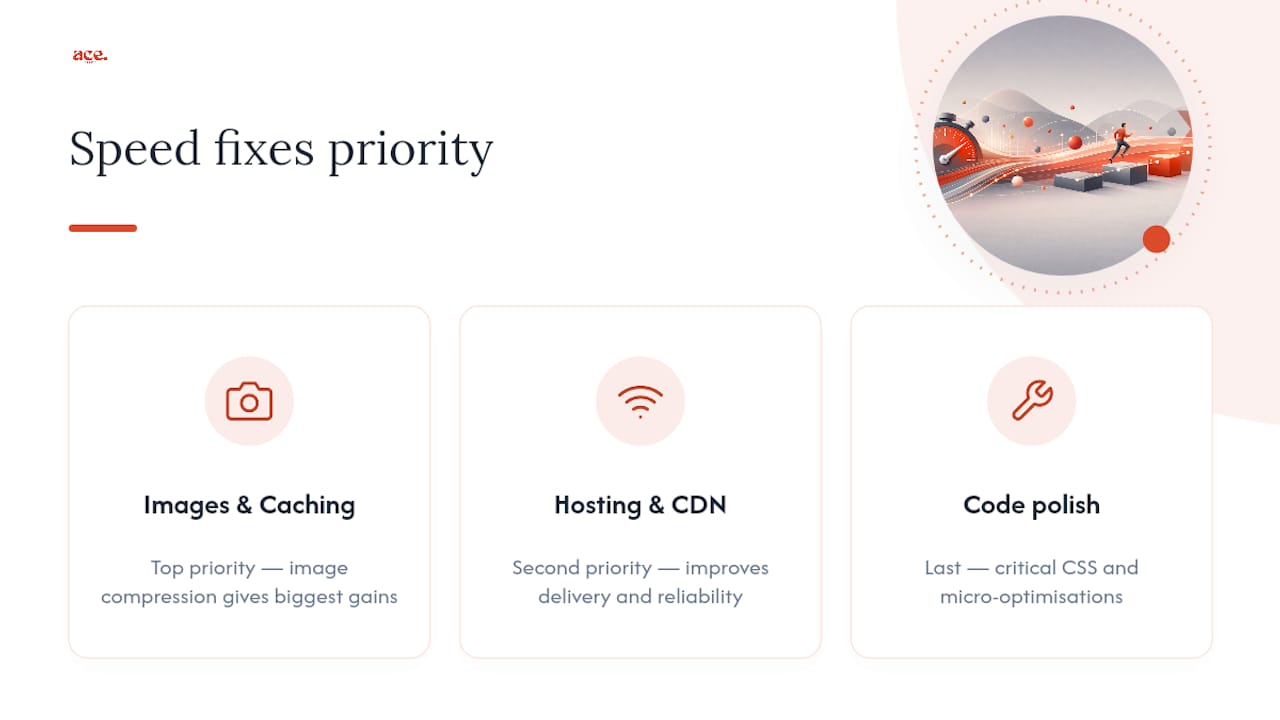
If you're triaging your own site, prioritise images and caching first, hosting and CDN second, and code-level polish like critical CSS last. That order matches where the actual time savings live, not where the advice is easiest to write.
Frequently asked questions
What's the fastest way to improve website speed without a developer? Compress and resize your images, turn on browser caching, and remove plugins you don't need. These three changes alone often produce the biggest visible improvement for the least technical effort.
Which Core Web Vital should I fix first? Start with whichever one your PageSpeed Insights report flags as poor. LCP problems usually trace back to large images or slow servers; CLS problems usually trace back to ads or fonts shifting layout; INP problems usually trace back to heavy JavaScript.
How often should I check my site's speed? Monthly is a sensible baseline, plus a check after any significant design change, new plugin, or content overhaul. Regressions creep in quietly, so a scheduled check catches them before customers notice.
Does website speed really affect SEO? Yes. Core Web Vitals are a confirmed part of how Google assesses page experience, and slow sites tend to see higher bounce rates regardless of ranking, which is its own commercial cost.
Can I get a fast website without doing all this myself? Yes. If you'd rather not manage image compression, caching and server configuration on your own, Ace-sites' done-for-you website service builds a site on infrastructure that already handles these fundamentals, or you can build one yourself in minutes with the AI website builder.
Sources
- Tips to improve website speed | How to speed up websites
- Web
- Author fast‑loading HTML pages — MDN Web Docs