
You can add customer reviews to your website today, without touching a line of code, using one of three routes: a review-platform widget, a Google Reviews embed, or your CMS's built-in review plugin.
- Widgets (like a service such as Elfsight) suit you if you want reviews from several sources pulled into one auto-updating block.
- Google Reviews embeds work best when your Google Business Profile already carries strong social proof.
- CMS or platform tools (WordPress plugins, or aceSites' built-in options) suit you if you want reviews managed inside the same dashboard as the rest of your site.
If you only do one thing today, paste a review widget onto your homepage. It takes little time and needs no developer, and starts working on trust immediately.
Key Takeaways
Adding reviews to your website works best when you pick one no-code method, deploy it within a day, and keep collecting new reviews on a steady drip rather than a one-off push.
| Point | Details |
|---|---|
| Pick one route first | Choose a widget, Google embed, or CMS plugin rather than mixing several on one page. |
| Know the Google limit | The Places API returns a maximum of five reviews, so widgets often need broader sync methods. |
| Separate verified from imported | Genuinely verified platform reviews build more trust than pasted-in testimonial text. |
| Moderate transparently | Filter spam and abuse, never filter reviews just for a low rating. |
| aceSites for fast deployment | aceSites lets you paste review embeds directly into your page editor or request a done-for-you build. |
Table of Contents
- Which no-code method should you pick?
- How do you embed Google reviews on your website?
- Should you use a review-platform widget instead?
- How do you add reviews through your CMS or aceSites?
- How do you get more customers to leave reviews?
- Where should reviews go on your site?
- How should you handle negative reviews?
- Do you need review schema for SEO?
- Want reviews live today? Here's how aceSites helps
- Sources
Which no-code method should you pick?
Each route has a different balance of speed, cost and control, so the right pick depends on where you're placing reviews and what you already have set up.
- Google Reviews embed: free or low-cost, quickest if you already have a strong Google Business Profile, best for homepage credibility.
- Review-platform widget: usually a monthly fee, best for pulling in Google, Facebook and Trustpilot together, ideal for product pages and checkout.
- CMS/plugin route: free to low-cost, best if you want reviews sitting inside your existing site editor rather than an external embed.
Before you start, check you have: your Google Business Profile Place ID, admin access to your CMS or site builder, and (if using a platform widget) an account with the provider you choose.
Pro Tip: If your main goal is general credibility, put a star badge near your logo. If you're trying to convert on a specific product, use product-level reviews directly under the price.
How do you embed Google reviews on your website?
Embedding Google Reviews gives you free, recognisable social proof without asking customers to sign up anywhere new. The process is genuinely quick.
- Find your Google Business Profile Place ID using Google's Place ID Finder tool.
- Create a widget through a no-code service such as Elfsight's Google Reviews widget, which connects to your profile and auto-syncs, refreshing within a few days.
- Copy the install code the tool gives you.
- Paste it into a Custom HTML block on the page where you want reviews to appear.
There's a hard limit worth knowing about before you commit to this route: Google's Places API caps programmatic review pulls at five per business, so a pure API-based embed will never show your full review history. Google also generally prefers reviews to be read and left on Google Maps or Search rather than fully lifted elsewhere, which is why widget-based embeds link back to your profile rather than replicating it.
- Never publish a reviewer's full name and photo without checking your Google Business Profile's own display settings first.
- Link review snippets back to your Google Business Profile page rather than copying full text verbatim.
Should you use a review-platform widget instead?
A review-platform widget is often the fastest way to show reviews from more than one source on a single page. Providers like Trustpilot, Reviews.io and Facebook Reviews all offer embeddable widgets that pull live review data into your site, and multi-source tools such as EmbedSocial sync Google, Facebook and other platforms into one block. Setup typically follows the same shape wherever you go:
- Create an account with the review platform.
- Connect your Google Business Profile, Facebook Page, or other review sources.
- Choose a display layout (carousel, grid, pop-up, or badge).
- Copy the embed code.
- Paste it into your site's HTML block or plugin field.
Pricing tends to follow a predictable pattern: free tiers usually cap the number of reviews or sources shown, while paid plans unlock auto-sync across multiple platforms, moderation tools, and unlimited review counts. Before you commit, check whether the widget clearly separates verified platform reviews (collected and confirmed by the platform itself) from imported testimonials (text you've pasted in manually) — genuinely verified badges carry more weight with visitors than unlabelled quotes. Review tools themselves get reviewed too; feedback on platforms like G2 is worth a scan before you pick one, since setup quality and support responsiveness vary between providers.
How do you add reviews through your CMS or aceSites?
If you're on WordPress, the official plugin repository hosts several dedicated review and testimonial plugins, including options such as the Trustmary plugin, which let you display reviews via a shortcode or block without writing code.
- Install a reviews plugin from the WordPress dashboard, or paste an embed code into a Custom HTML block.
- In Gutenberg, drop the shortcode into a Shortcode block; in Elementor, use the HTML widget.
- Preview the page before publishing to confirm the layout displays correctly on mobile.
If you're running your site on aceSites, the process is simpler still: open your page editor, add an HTML or embed section, paste your widget's install code, and publish. aceSites' built-in tools are designed to accept third-party embeds without breaking your template.
- Widget not showing? Check the embed code pasted fully, including opening and closing tags.
- Nothing loading? Clear your site cache or check whether a security plugin is blocking external scripts.
- Layout broken on mobile? Switch to a stacked or list layout rather than a wide carousel.
How do you get more customers to leave reviews?
Collecting reviews works best when the ask arrives at the right moment, not just when you remember to send one.
- Email prompt: send it 2 to 4 days after service delivery, subject line "How did we do?", one-line ask ("Got 30 seconds? A quick review helps other customers find us"), with a direct link to your review form.
- SMS prompt: shorter still, sent the same day, with just the review link.
- QR code or printed card: hand it over at the point of service with copy like "Loved the work? Scan to leave a quick review."
Avoid paying for reviews or offering discounts explicitly in exchange for a positive one, since most platforms ban incentivised reviews outright. A single polite follow-up if there's no response works; repeated chasing tends to backfire. For more detail on timing and message wording, aceSites has a fuller guide to getting more customer reviews.
Pro Tip: Ask at the exact moment satisfaction peaks, usually right after you've delivered or fixed something, not a week later when the memory has faded.

Where should reviews go on your site?
Placement matters as much as the reviews themselves. Put a star badge in your homepage hero for instant credibility, full reviews under relevant product pages, a short trust line near your pricing table, and a reassurance quote right before the checkout button. A dedicated reviews page and a footer badge round things out for visitors doing deeper research.
- Keep individual quotes short, ideally under two sentences, with a photo if you have consent to use one.
- Make star ratings visible without a click, and lazy-load review widgets so they don't slow page speed on mobile.
Pro Tip: Pairing a simple aggregate star badge with one short, specific quote does more for trust than a wall of five-star text.
How should you handle negative reviews?
Negative reviews are inevitable, and how you moderate them says more about your business than the review itself.
- Decide upfront whether reviews auto-sync live or need manual approval; if you moderate, say so transparently rather than hiding the policy.
- Never filter out reviews purely for a low star rating; filtering for abusive language or spam is fair, filtering for honest criticism is not.
- Respond publicly with acknowledgement, a brief remedy, and an invitation to continue offline: "We're sorry this fell short, please email us so we can put it right."
Customers can leave reviews on Google Business Profile, Facebook Pages, and platform-specific pages like Trustpilot or Reviews.io, each with its own moderation and removal policy worth reading before you rely on it.
Do you need review schema for SEO?
Adding structured data helps search engines understand your reviews, and it's genuinely quick to set up without coding. The two schema types that matter most are Review and AggregateRating, attached to a Product or LocalBusiness entry, and they need at minimum a rating value, a review count, and the item being reviewed.
- Most review-platform widgets, including several covered by WiserReview's 2026 comparison, inject this JSON-LD automatically when you install the embed.
- If you're generating it manually, use a simple schema generator and paste the output into an HTML block.
- Keep your
reviewCountaccurate; inflating it risks a manual penalty, and Google's Rich Results Test will flag inconsistent markup before it ever reaches your live site.
Author perspective: what actually works for busy small businesses
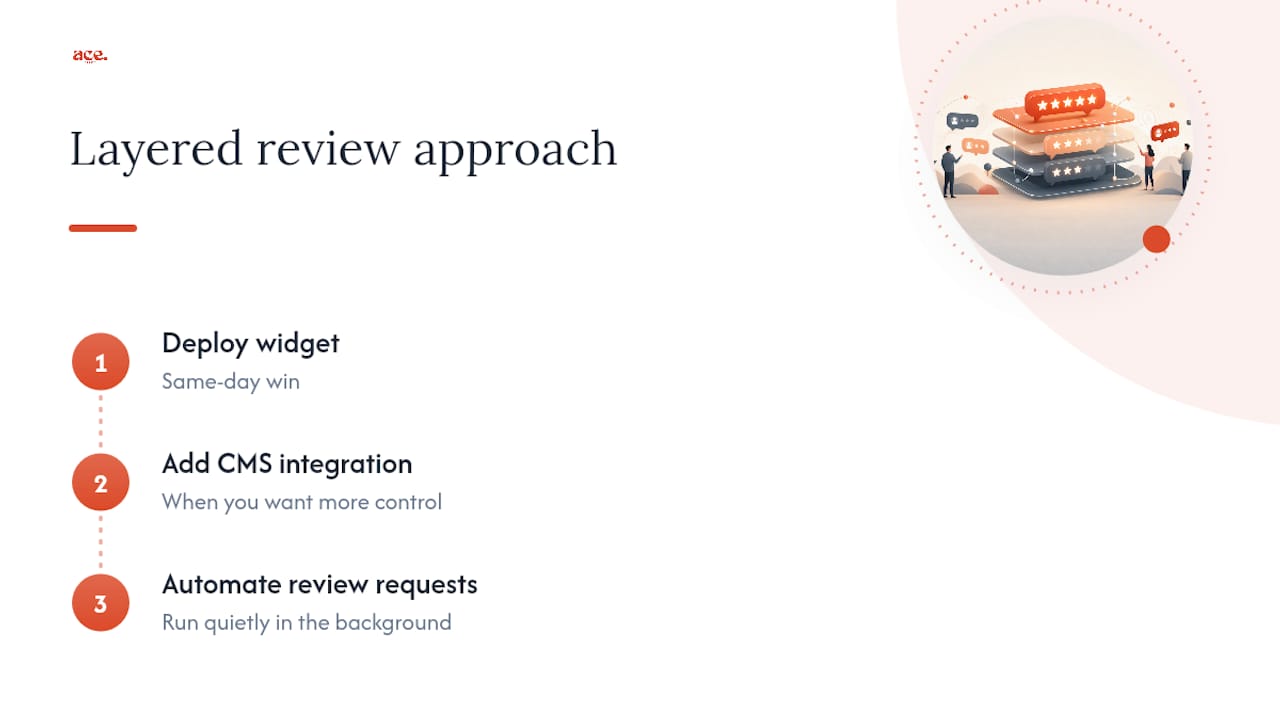
Start with a widget for a same-day win, layer in CMS integration once you want more control, and keep review requests running quietly in the background. Speed to live beats perfect setup every time.
Want reviews live today? Here's how aceSites helps
aceSites gets your reviews section live without the back-and-forth a developer project usually involves. Because it's built for small business owners rather than agencies, you can paste a widget embed straight into your page editor yourself, or ask for the done-for-you build if you'd rather hand it off entirely.

Three things worth knowing: pages deploy fast, often within a day; built-in SEO tools help your review-rich pages get found; and the platform accepts third-party embeds from providers like Elfsight or EmbedSocial without breaking your template. If you'd rather see it working before committing to anything, aceSites offers a free website build you don't pay for until you've seen it. That's the quickest route to a reviews section that's actually live, not just planned.
Sources
- Google Reviews Widget for your Website | No-code solution
- Review widget | EmbedSocial
- Add reviews to your website in under 10 minutes (2026)
- Plugins ‹ WordPress