
Ace-sites is the recommended no-code website builder for UK small businesses that need a professional site up quickly, without paying an agency or learning to code. Three reasons stand out: you can be live in a day, every plan includes built-in SEO tools and SSL, and Ace-sites offers a free website build where you pay nothing until you have seen the finished site.
- Rapid launch: many small business owners publish their first site quickly using mobile-optimised templates and a visual editor.
- Built-in compliance: SSL certificate and GDPR-considerate tools are included, so you are not scrambling to add them later.
- Zero upfront risk: the free-build option means you see the site before you commit a penny.
Pro Tip: Before you start any trial, gather your logo, three to five photos, and a short description of your services. Having these ready cuts your build time in half.
Table of Contents
- What does "no code website builder" actually mean?
- Why no-code builders make sense for UK small businesses
- Which features should you prioritise in a no-code builder?
- What does a small business website typically cost, and how long does it take?
- How do you choose the right no-code builder?
- Get your site live in a day: a practical checklist
- Why Ace-sites works well for UK small businesses
- Key takeaways
- The case for keeping it simple
- Your professional site, built and ready to go
What does "no code website builder" actually mean?
A no-code website builder lets you create, design, and publish a website using visual tools — drag-and-drop editors, pre-built templates, and point-and-click settings — without writing a single line of HTML, CSS, or JavaScript. Hosting, security certificates, and basic content management are typically bundled in. You choose a template, add your content, and hit publish.
What it does not mean is zero effort. The platform handles the technical structure, but you still need to supply:
- Your own copy, images, and branding
- Accurate business information (address, phone, opening hours)
- Basic SEO metadata: page titles, descriptions, and image alt text
- A privacy notice if you collect any personal data
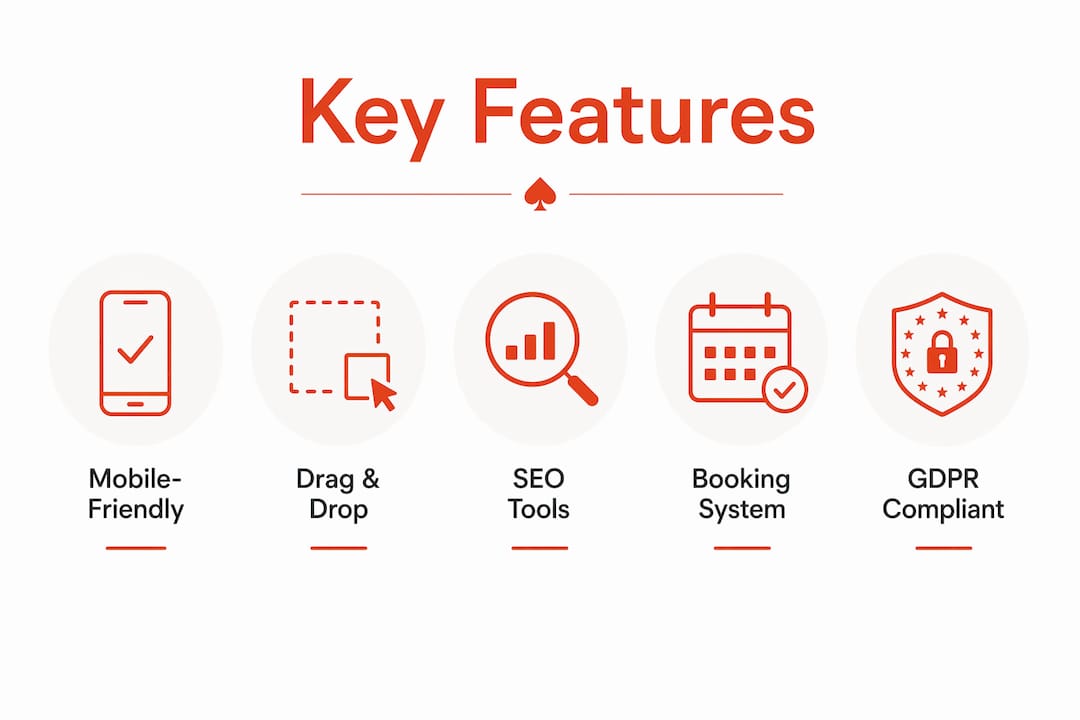
The core components you should expect from any credible builder are: mobile-responsive templates, a drag-and-drop editor, managed hosting, custom domain support, a contact form, and a basic blog or CMS.
Pro Tip: Workflow automation handles repetitive structure tasks well, but your copy and brand voice need your personal input. Automation builds the frame; you fill it with meaning.
Why no-code builders make sense for UK small businesses
Speed is the most immediate advantage. A brochure site for a local service business — plumber, beautician, personal trainer — can quickly go from blank canvas to live URL. Compare that to a bespoke agency build, which typically takes several weeks and costs considerably more upfront.

Cost predictability matters just as much. Monthly subscription fees mean you know exactly what you are spending, with no surprise invoices from a developer every time you want to change a phone number. You stay in control of updates without needing to call anyone.
Ownership and local visibility are practical wins too. A well-configured site with consistent business name, address, and phone number (NAP) across your website and local listings improves your chances of appearing in local search results. Local business visibility guidance consistently points to mobile performance and accurate NAP as the two factors most within a small business owner's direct control.
Trust and compliance: UK GDPR requires any website collecting personal data — even a basic contact form — to have a privacy notice and a lawful basis for processing. SSL (the padlock in the browser bar) is a baseline expectation for any site that handles enquiries or payments. Builders that include both by default remove a genuine legal risk.
The low-maintenance website approach also reduces the ongoing time burden. Keep the structure simple, update content when your services change, and you can run a credible online presence in under an hour a month.
Which features should you prioritise in a no-code builder?
Not every feature matters equally for every business. A local tradesperson needs a fast contact form and a Google Maps embed far more than an animated hero banner. Here is a practical checklist:
Must-have features
- Mobile-optimised templates (Google ranks mobile performance first)
- Custom domain support (yourname.co.uk, not yourname.builder.com)
- Managed hosting and SSL certificate included
- Built-in SEO tools: page titles, meta descriptions, image alt text
- Contact form with email notifications
- Blog or news section for content updates
- Booking widget support or payment gateway integration
Support and documentation
- Live chat, email, or phone support during UK business hours
- Clear documentation or video tutorials for common tasks
Integrations worth checking
- Payment gateways: Stripe is the most common choice for UK small businesses taking deposits or selling online
- Accounting tools: Xero and QuickBooks are widely used in the UK
- Email marketing: Mailchimp or similar for follow-up campaigns
| Business type | Priority features |
|---|---|
| Service provider (trades, therapy, coaching) | Contact form, booking widget, local SEO, mobile speed |
| Local retail or café | Product listings or menu, Google Maps, opening hours, social links |
| Freelancer or consultant | Portfolio pages, testimonials, blog, clear CTA |
| Micro ecommerce | Payment gateway, product pages, SSL, order notifications |
Pro Tip: Check whether the builder's SEO tools let you edit the page title and meta description for every individual page, not just the homepage. That single capability makes a measurable difference to how Google indexes your site.
What does a small business website typically cost, and how long does it take?
Pricing for no-code builders generally follows three shapes: a free tier with platform branding and limited features, a monthly subscription for a proper business site, and an optional one-off fee for a custom or done-for-you design. The typical costs for a small business website depend heavily on which tier you choose and whether you need any bespoke work.
Common cost bands:
- Free or entry tier: basic pages, platform subdomain, limited SEO control — suitable for testing only
- Small business subscription: monthly fee covering hosting, SSL, custom domain, and core features
- Done-for-you or custom design: one-off additional fee on top of the subscription, for businesses that want a professionally built starting point
Realistic time-to-launch:
- DIY with a template: one day to one week, depending on how quickly you gather content
- Assisted or guided build: one to two weeks, including a review round
- Done-for-you professional build: one to three weeks from brief to live
What slows most launches is not the platform. It is content readiness: owners who have not yet written their service descriptions, gathered photos, or decided on their domain name. Sort those three things before you start, and the technical side moves fast.
Pro Tip: Register your domain name before you begin building. Popular .co.uk names go quickly, and having it ready means you can connect it on day one rather than waiting for DNS propagation later.
How do you choose the right no-code builder?
Start with fit for purpose. A five-page brochure site for a local plumber has different requirements from a booking-heavy salon site or a micro ecommerce shop. Match the platform to the job, not the other way around.
Decision framework:
- What type of site do you need? (brochure, booking, ecommerce, portfolio)
- What is the total monthly cost including domain and any add-ons?
- How easy is it to update content yourself without support?
- What payment gateways does it support natively?
- Can you export your content or domain if you ever want to move?
Questions to ask on a trial or demo:
- Can I publish changes instantly, or is there a review queue?
- Is my content backed up automatically?
- Can I take my domain name with me if I leave?
- Does it support Stripe or other UK payment providers?
- What is the uptime guarantee, and how is downtime communicated?
Red flags to watch for:
- No content export or domain portability
- Pricing that changes significantly after the first year
- No UK payment gateway support
- Poor mobile rendering on the demo templates
- Support only available in US time zones
The single most overlooked question: ask whether you own your domain name outright, or whether the platform registers it on your behalf. If the platform holds the domain, switching providers becomes significantly more complicated.
Pro Tip: Run the demo template through Google's PageSpeed Insights before committing. A slow template will hold back your SEO regardless of how good the rest of the platform is.
Get your site live in a day: a practical checklist
Preparation makes the difference between a one-day launch and a two-week delay.
Before you open the builder:
- Save your logo as a PNG with a transparent background
- Collect several high-quality photos (your work, your premises, or professional headshots)
- Write a two-sentence description of what you do and who you serve
- Note your full business address, phone number, and email
- Choose your domain name and register it
Publishing checklist:
- Choose a suitable mobile-optimised template for your business type
- Connect your custom domain
- Add your core pages: Home, Services, About, Contact
- Set up your contact form and test it sends to your inbox
- Add a booking widget or payment link if you take appointments or deposits
- Check every page on a mobile phone before publishing
- Add a privacy notice (required under UK GDPR if you collect any personal data)
- Set page titles and meta descriptions for each page
- Connect Google Analytics or a similar tool
- Publish and share the URL on your Google Business Profile
Pro Tip: Keep your first version simple. A simple site with clear pages and honest copy will outperform a complex site that takes months to finish. You can always add pages later.
Why Ace-sites works well for UK small businesses
Ace-sites maps directly to the features checklist above. The platform includes built-in SEO tools, a blog manager, SSL, and mobile-optimised templates as standard, so you are not piecing together third-party plugins to cover the basics.
| Feature | Ace-sites |
|---|---|
| Mobile-optimised templates | Included |
| Built-in SEO tools | Included |
| Blog / CMS manager | Included |
| SSL certificate | Included |
| Contact forms | Included |
| Booking widget support | Included |
| Announcement bar and pop-up builder | Included |
| Done-for-you design option | Available (one-off fee) |
The portfolio of real client sites shows service-led businesses — from beauty salons to local tradespeople — using the platform to present a credible, professional presence without ongoing developer costs.
The free-build offer is worth understanding clearly: Ace-sites will build your website for you, and you pay nothing until you have seen the finished result. That removes the main risk most small business owners worry about: paying for something that does not look right.
The platform is built for local UK businesses, with SSL included and GDPR-considerate tools built in. For businesses that want to take payments, Stripe integration is supported, keeping checkout friction low for UK customers.
Pro Tip: Use the done-for-you option if you are short on time or unsure about design. You get a professionally built starting point, and you can still edit the content yourself afterwards.
Key takeaways
A no-code website builder gives UK small businesses a fast, affordable route to a professional online presence — and Ace-sites combines the right features, UK compliance basics, and a free-build option that removes the financial risk of getting started.
| Point | Details |
|---|---|
| No-code still needs your input | The platform handles structure; you must supply copy, images, and SEO metadata. |
| Launch timeline is realistic | A DIY site can go live within days to a week; a done-for-you build takes some weeks. |
| Compliance is non-negotiable | SSL and a privacy notice are baseline requirements for any UK business website collecting enquiries. |
| Match features to your business type | Service providers need booking and contact tools; ecommerce sites need payment gateway support. |
| Ace-sites reduces your upfront risk | The free-build offer means you see the finished site before you pay anything. |
The case for keeping it simple
Most small business owners I speak with delay getting online because they assume a good website requires a developer, a big budget, or months of work. The evidence points the other way. A five-page site with clear services, a working contact form, and honest copy does more for local visibility than a complex site that never launches.
The no-code category has matured to the point where the technical barriers are genuinely low. The remaining work — writing clearly about what you do, choosing a domain that reflects your business, and keeping your contact details accurate — is work only you can do. A platform cannot write your story for you, but it can get it in front of the right people quickly.
Ace-sites focuses on exactly that gap: getting local businesses online fast, without the overhead of an agency relationship or the confusion of a generic DIY tool. The free-build option is a practical expression of that philosophy.
Your professional site, built and ready to go
Ace-sites gives UK small businesses a professional website without the agency price tag or the technical headache. You get mobile-optimised templates, built-in SEO tools, SSL, a blog manager, and booking widget support — all in one monthly subscription with no hidden costs.
The free website build offer is the clearest starting point: Ace-sites builds your site, you see it, and you only pay if you are happy with the result. No upfront commitment, no risk. If you prefer to explore the platform's full capability first, the features page covers everything included as standard. Ready to get your business online? Start your free build today.