
For most small UK service businesses, a managed SaaS website builder is the practical default. You get hosting, security, and updates handled for you, so you can focus on running your business rather than maintaining a website. Ace-sites is built exactly for this: quick to launch, no technical knowledge needed, and priced for local businesses.
If you want to compare your options first, here is a realistic shortlist:
- Ace-sites — managed builder for UK service businesses; go live very quickly, built-in SEO and blog tools included
- Wix — flexible drag-and-drop builder; good for brochure sites and small portfolios
- Squarespace — polished templates; suits creative and hospitality businesses
- Shopify — purpose-built for online selling; the go-to if eCommerce is your primary need
- Ghost — hosted publishing platform; best for content-led businesses and membership sites
- Webflow — design-heavy builder; suits businesses with a developer on hand
- Strapi / Contentful / Sanity — headless CMS options for technical teams who need custom builds
Start with the comparison table below, then carry on scrolling for the decision checklist and migration guide.
Table of Contents
- How do these WordPress alternatives compare?
- How do you choose the right platform for your business?
- What does a website actually cost, and how long does it take to launch?
- Moving from WordPress? Here is a practical migration checklist
- Why Ace-sites works well for local UK service businesses
- Key takeaways
- The honest truth about picking a website platform
- Get your site built for you — free until you approve it
- Sources and further reading
How do these WordPress alternatives compare?
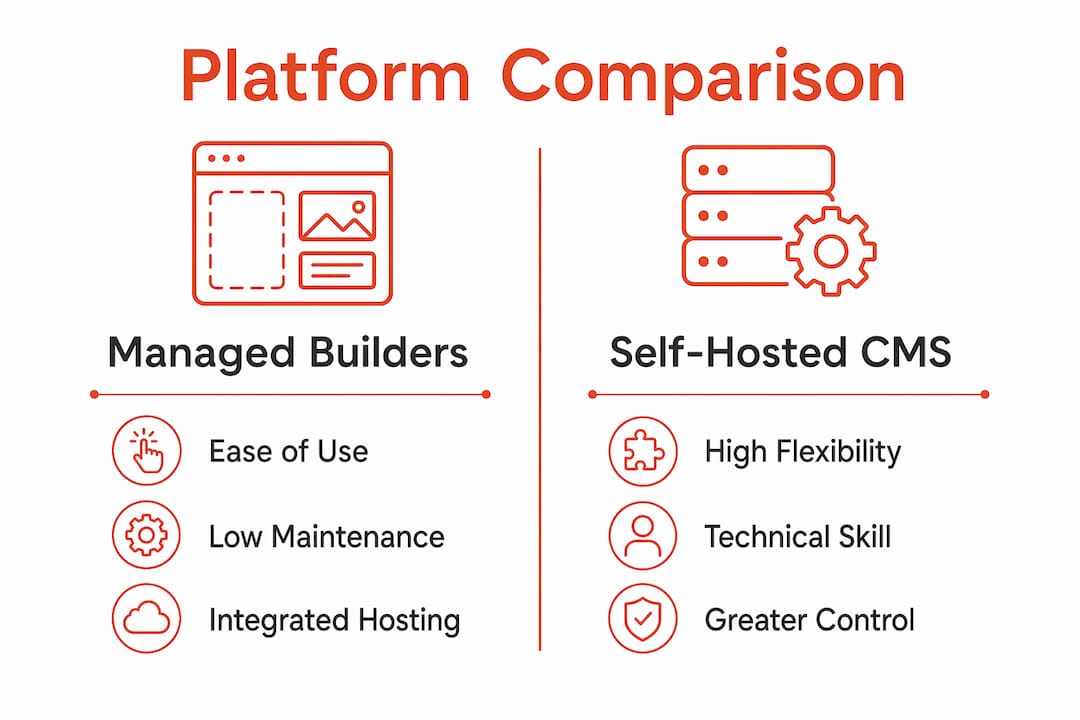
Industry analyses group alternatives into three categories: monolithic all-in-one builders, dedicated eCommerce platforms, and headless CMS for technical teams. The table below maps each to the dimensions that matter most for a small UK service business.
| Platform | Best for | Hosting model | Ease of use | Maintenance burden | eCommerce | SEO features | Typical UK monthly cost | Time to launch | Extensibility | UK support |
|---|---|---|---|---|---|---|---|---|---|---|
| Ace-sites | Local service businesses | SaaS (managed) | Very easy | Very low | Contact/booking forms | Built-in SEO + blog | From £10–£20 monthly | Less than a day | Moderate | UK-based |
| Wix | Brochure and portfolio sites | SaaS (managed) | Easy | Low | Basic (add-on) | Good built-in | £10–£20 monthly | a few days | High (app market) | Chat/email |
| Squarespace | Creative and hospitality | SaaS (managed) | Easy | Low | Moderate | Good built-in | £10–£20 monthly | a few days | Moderate | Chat/email |
| Shopify | Online retail | SaaS (managed) | Moderate | Low | Excellent | Good built-in | £20–£40 monthly | several days | Very high | — |
| Ghost | Publishing and memberships | SaaS or self-hosted | Moderate | Low (SaaS) | Subscriptions only | Good built-in | £20–£40 monthly | a few days | Low | Community |
| Webflow | Design-led sites | SaaS (managed) | Hard | Low | Basic | Strong | £10–£20 monthly | several days | Moderate | Chat/email |
| Strapi | Custom/developer builds | Self-hosted | Hard | High | Via integrations | Manual setup | Hosting cost only | multiple weeks | Very high | Community |
| Contentful | Enterprise content teams | SaaS (managed) | Hard | Moderate | Via integrations | Manual setup | Free tier; paid from £40 monthly | multiple weeks | Very high | Enterprise |
| Sanity | Structured content/custom | SaaS (managed) | Hard | Moderate | Via integrations | Manual setup | Free tier; paid from £40 monthly | multiple weeks | Very high | Community |
Quick pros and cons
Ace-sites: Pros: fast setup, built-in SEO, UK-focused support, optional done-for-you build. Cons: not suited to large eCommerce catalogues.
Wix / Squarespace: Pros: polished templates, low maintenance, good for brochure sites. Cons: platform lock-in is real — exporting your design and content later is limited.
Shopify: Pros: best-in-class online selling tools, strong payment gateway support. Cons: overkill and expensive if you are not primarily selling products.
Ghost: Pros: built-in memberships and newsletters without extra plugins; fast performance. Cons: limited design flexibility; not suited to service businesses without a publishing focus.
Webflow / Strapi / Contentful / Sanity: Pros: highly customisable, future-proof for technical teams. Cons: headless CMS options are not the fastest route for non-technical owners who need a simple, cohesive site.
How do you choose the right platform for your business?
The single most important decision factor is not features — it is maintenance burden versus flexibility. Tooltester's guidance is clear: small business owners should favour platforms that reduce long-term maintenance work, not platforms with the longest feature list.

Match your business profile to a platform type. A sole-trader tradesperson (plumber, electrician, cleaner) needs a fast brochure site with a contact form and local SEO — a managed builder like Ace-sites covers this without any technical setup. A booking-focused service business (salon, personal trainer, therapist) needs the same, plus a booking widget embed. A small multi-service firm with a product range should look at Shopify. A content-led business running a newsletter or membership should consider Ghost.
Questions to ask any vendor before you sign up:
Support and SLA: What are the UK support hours? Is there a phone or live chat option, or only a ticketing system?
Export and migration: Can you export your full content, images, and metadata if you want to leave? What format does the export come in?
Payment gateways: Does the platform support Stripe and PayPal natively for UK businesses? Are there transaction fees on top of the monthly subscription?
GDPR and data: Where is your data stored? Does the vendor provide a Data Processing Agreement for UK GDPR compliance?
Red flags to watch for. Be cautious of any platform that cannot show you a clear content export path — you should never be trapped with no way out. Watch for pricing pages that bury plugin or transaction fees in the small print; the headline monthly cost is rarely the full picture. Vague backup policies (no scheduled backups, no one-click restore) are a genuine operational risk for a small business with no IT support.
What does a website actually cost, and how long does it take to launch?
The table below gives realistic UK price bands and what each typically includes.
| Tier | Typical monthly cost (UK) | What's usually included | Time to launch |
|---|---|---|---|
| Free/basic | £5 | Subdomain, limited templates, ads on page | some extra time |
| Standard | £10–£20 | Custom domain, SSL, templates, CMS, basic SEO | a few days |
| Business | £20–£40 | eCommerce, booking tools, priority support | several days |
| Premium/done-for-you | £40 or one-off design fee | Full build, custom branding, ongoing support | Less than a day (if done for you) |
For a simple one-page site, you can realistically be live within a few hours on a managed builder. A five-page brochure site with a contact form and local SEO setup takes a few days if you are doing it yourself, or under a day with a done-for-you service. A booking-focused site adds some extra time for widget setup and testing. A small eCommerce build on Shopify typically takes several days to configure products, payments, and shipping correctly.
One-off design fees for a professionally built site vary widely. For a local service business, a small business website built by a specialist typically costs less than a traditional agency project, particularly when the platform handles hosting and maintenance as part of the monthly subscription.
Moving from WordPress? Here is a practical migration checklist
Migration is entirely doable, but plan for redirects, content mapping, and plugin feature gaps before you start. Skipping this planning is the most common reason migrations cause an SEO dip.
Step 1: Inventory your plugins and features. List every plugin you use and what it does. For each one, confirm whether your new platform has a native equivalent or whether you will need a third-party integration. Contact forms, booking tools, and SEO plugins are the most common gaps.
Step 2: Export your content. WordPress exports posts and pages as an XML file. Most managed builders can import this, but formatting often needs tidying. Export images separately and check file sizes before uploading.
Step 3: Map your URLs and set up 301 redirects. Preserving your URL structure where possible protects your search rankings. Where URLs must change, set up 301 redirects from every old URL to the new equivalent. Missing redirects are the single biggest cause of post-migration traffic loss.
Step 4: Recreate forms and booking tools. Do not assume these will transfer automatically. Test every form submission and booking flow on the new site before you go live.
Step 5: Check search and mobile. Run the new site through Google Search Console and test on at least two mobile devices. Submit a new XML sitemap as soon as the site is live.
Step 6: Handle data and GDPR. During migration, confirm that any personal data collected via forms is transferred securely and that your new platform's Data Processing Agreement covers UK GDPR requirements. Ace-sites publishes its privacy policy openly for this reason.
Pro Tip: Export and re-import your page titles and meta descriptions manually — most CMS exports do not carry SEO metadata cleanly. Check every page's title tag and description in your new platform before launch.
Why Ace-sites works well for local UK service businesses
Ace-sites is designed to reduce maintenance and get local service businesses online fast. The platform bundles everything a service business actually needs: a visual editor, built-in SEO tools and blog manager, booking widget embeds, mobile-optimised templates, SSL certificate, contact forms, pop-up builder, and an announcement bar. You do not need to install plugins or manage updates.
Key benefits for local service businesses:
- No technical setup — the visual editor works like a word processor; no code required
- Built-in SEO — page titles, meta descriptions, and sitemaps are handled within the platform
- Mobile-ready templates — every template is optimised for the mobile searches that drive local enquiries
- Booking widget embeds — connect your existing booking tool without a developer
- Optional done-for-you build — Ace-sites will build the site for you; you only pay once you have seen and approved it
For businesses migrating from WordPress, Ace-sites handles the platform setup and template build. You will need to prepare your content export and provide your existing copy and images, but the technical heavy lifting is covered. See real examples of local business sites built on Ace-sites.
Key takeaways
For most small UK service businesses, a managed SaaS builder beats a self-hosted CMS on every practical measure: lower maintenance, faster launch, and no plugin management.
| Point | Details |
|---|---|
| Managed builders win on maintenance | SaaS platforms handle hosting, security, and updates — no technical overhead for the owner. |
| Match platform to your primary need | Service businesses need SEO and contact tools; retailers need eCommerce; publishers need Ghost. |
| Redirects protect your SEO | Set 301 redirects for every changed URL when migrating from WordPress to avoid ranking loss. |
| Headless CMS is for technical teams | Strapi, Contentful, and Sanity suit developers building custom solutions, not most local businesses. |
| Ace-sites for local service businesses | Built-in SEO, booking embeds, and optional done-for-you build make it the low-effort choice for UK service providers. |
The honest truth about picking a website platform
Most small business owners spend too long comparing features they will never use. A plumber does not need a headless CMS. A florist does not need Shopify's enterprise inventory tools. The question that actually matters is: how much time do you have to maintain this thing after launch?
Modern web design guidance consistently points to the same conclusion: the best platform for a small business is the one you will actually keep updated and use. A technically impressive site that sits neglected for six months will underperform a simple, well-maintained one every time.
Three pieces of practical advice for busy owners. First, prioritise speed to market — a live site generating enquiries today beats a perfect site launching in three months. Second, avoid technical debt — every plugin you add to a self-hosted WordPress site is a future maintenance task; managed builders eliminate this entirely. Third, make sure your site captures contact details from day one — a contact form and a clear phone number are worth more than any design feature.
If you are considering an AI-assisted build, these tools have improved significantly and can accelerate setup — but they still need a human to review the copy and check the SEO settings before going live.
Get your site built for you — free until you approve it
Ace-sites offers a done-for-you website build where you pay nothing until you have seen the finished site and are happy with it. It is a practical option for time-poor local business owners who want a professional result without spending weeks learning a new platform.
What the free build includes:
- A fully designed, mobile-optimised website built on the Ace-sites platform
- Built-in SEO setup: page titles, meta descriptions, and sitemap configured from day one
- Contact form and booking widget embed ready to go
- SSL certificate and UK hosting included in the monthly subscription
- Revisions until you are satisfied, then a simple monthly subscription to keep it live
Ready to see what your site could look like? Start your free build and Ace-sites will have a draft ready for you to review — no upfront payment, no commitment until you are happy.
Sources and further reading
The claims in this article draw on the following sources. For developer-level, headless, or enterprise CMS information, the Hygraph and Strapi documentation are the most detailed starting points.
- Ghost vs WordPress comparison — performance and publishing feature comparisons
- Zapier: best WordPress alternatives — platform categorisation by use case
- Hygraph: WordPress alternatives guide — monolithic vs headless CMS trade-offs
- Tooltester: WordPress alternatives — maintenance burden and lock-in warnings
- Tidio: WordPress alternatives — market share context and platform reviews
- Ace-sites features page — built-in SEO, blog, and booking tools for local businesses
- Ace-sites portfolio — real local business websites built on the platform