
For most UK small business owners, the best Webflow alternatives are managed, no-code platforms that get you online quickly without a developer on speed dial. If you want low cost, low maintenance, and a site you can actually update yourself, the shortlist comes down to a handful of practical options:
- Ace-sites — built specifically for UK small businesses and local service providers, with built-in SEO, a blog manager, and an optional done-for-you build
- Wix — a popular drag-and-drop builder with a generous template library
- Squarespace — polished design templates, good for portfolio and service businesses
- WordPress (via a managed host) — maximum flexibility, but more maintenance involved
- Shopify — the go-to if selling products online is your main goal
Ace-sites stands out for UK small businesses because it combines the simplicity of a hosted builder with local support and no hidden costs. If you want to go live fast without touching a line of code, it is the natural starting point.
Table of Contents
- How do the top Webflow alternatives compare for small businesses?
- How do you choose the right platform for your business?
- What should you expect when switching from Webflow?
- Why Ace-sites works well for UK small businesses
- Key takeaways
- The case for keeping it simple
- Your site could be live today with Ace-sites
- Useful sources and further reading
How do the top Webflow alternatives compare for small businesses?
G2 reviews consistently highlight hosted, drag-and-drop builders as the top picks for owners who prioritise speed and ease of use. The table below maps each platform category against the criteria that matter most to a non-technical UK business owner.

| Platform | Best for | Ease of use | UK price range (monthly) | Design control | Hosting & maintenance | SEO tools | Ecommerce | Time to launch |
|---|---|---|---|---|---|---|---|---|
| Ace-sites | UK service businesses, local traders | Very easy | Subscription (see site) | Visual editor, mobile templates | Fully managed | Built-in SEO, blog manager | Contact forms, booking widgets | Same day |
| Wix | General small businesses | Easy | — | Drag-and-drop, many templates | Fully managed | Good built-in tools | Basic to mid-level | Same day |
| Squarespace | Portfolio, hospitality, services | Easy–moderate | — | Template-led, less freeform | Fully managed | Solid, built-in | Mid-level | 1–3 days |
| WordPress (managed) | Blogs, content-heavy sites | Moderate | ~£5–£30+ hosting | High, via plugins | Self or managed | Excellent with plugins | Via WooCommerce | 1–2 weeks |
| Shopify | Product-led ecommerce | Easy–moderate | — | Theme-based | Fully managed | Good, ecommerce-focused | Full ecommerce suite | 1–3 days |
Price ranges above reflect typical small business plans and are indicative; always check current pricing on each provider's site.
W3Techs data confirms WordPress remains the dominant open-source CMS globally, but its flexibility comes with a real trade-off: you take on responsibility for hosting, security updates, and plugin compatibility. For a busy sole trader or small team, that overhead adds up.
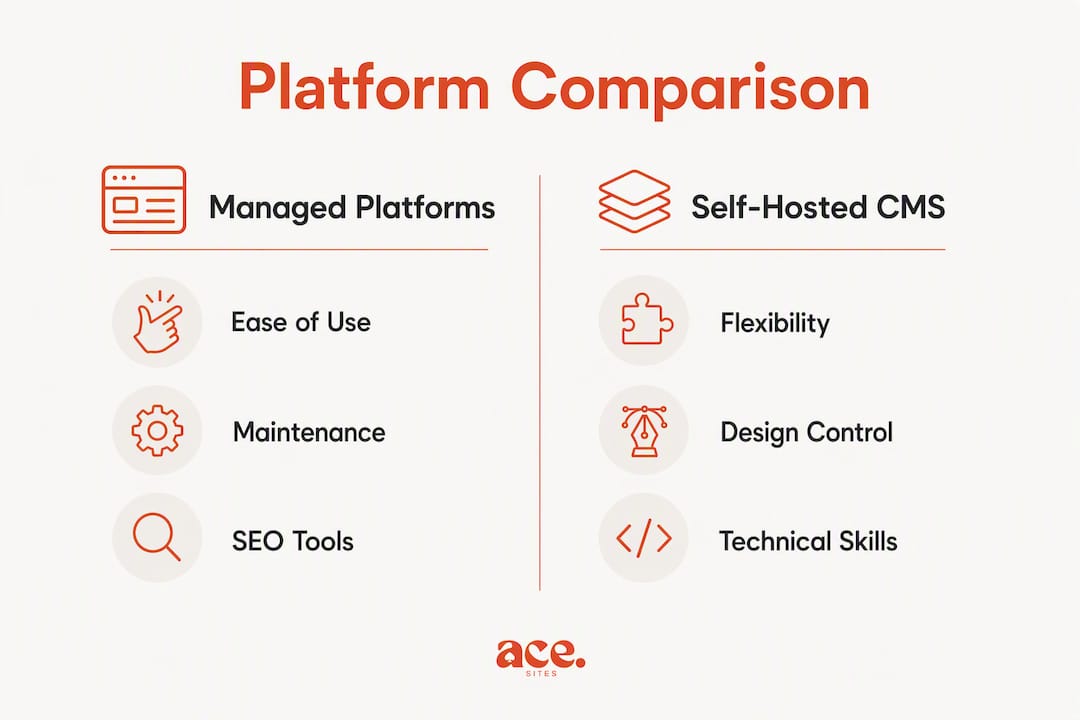
Pro Tip: If getting online quickly matters more than pixel-perfect design control, choose a fully managed platform. You can always migrate to something more complex later once you know what your site actually needs.
How do you choose the right platform for your business?
Vendor comparisons focused on no-code tools consistently flag easier onboarding and lower maintenance as the main reasons small teams switch away from complex visual builders. Use this checklist before you commit.
Selection criteria to work through
- Ease of use — Can you update a page, add a blog post, or swap an image without help? Test the editor before you pay.
- Ongoing maintenance — Who handles security patches, backups, and uptime? Managed platforms handle this for you; self-hosted ones do not.
- Cost predictability — Is the monthly fee fixed, or do costs rise with traffic, storage, or add-ons? Check what is included.
- Built-in SEO tools — Does the platform let you edit page titles, meta descriptions, and image alt text without a plugin?
- Ecommerce needs — If you sell products or take bookings, confirm the platform supports it at your price tier.
- Integrations — Do you need to connect a booking system, email list, or CRM? Check the native integrations first.
Questions to ask during a free trial
- Can you export your content and images if you leave?
- Does the plan include a custom domain and SSL certificate?
- What are the support hours, and is there a live chat option?
- How long does a typical DNS change take to go live?
Red flags to watch for
- No clear data export path (you could be locked into a platform with no easy way out)
- Opaque billing with traffic or bandwidth limits buried in the small print
- No SSL certificate included, or poor page load speeds on mobile
Pro Tip: Set a 30-minute timer. Open two or three free trials, try adding a page and a blog post on each, and note which felt natural. Your gut reaction after 10 minutes of editing is usually right.
What should you expect when switching from Webflow?
Switching platforms is manageable if you plan it in stages. The table below gives a realistic time estimate for each task.
| Migration task | What it involves | Typical time |
|---|---|---|
| Content export | Copy or export pages, blog posts, and text | 2–4 hours |
| Media download | Save all images and files from Webflow's asset manager | 1–2 hours |
| Redirect map | List old URLs and map them to new ones | 2–3 hours |
| DNS change | Point your domain to the new host | 30 minutes (+ propagation time) |
| SEO checks | Crawl old and new site, fix broken links and missing meta | 2–4 hours |
| Forms and integrations | Rebuild contact forms, booking widgets, and third-party tools | 1–3 hours |
Total realistic estimate for a small brochure site: one to two days of focused work, or longer if you have a large blog archive.
Practical tips to protect your SEO
- Crawl your Webflow site with a tool like Screaming Frog before you start, so you have a full list of live URLs.
- Keep your URL structure as close to the original as possible. Where you must change a URL, set up a 301 redirect.
- Monitor Google Search Console for 404 errors in the two weeks after launch and fix them promptly.
Pro Tip: Run your old and new sites in parallel for at least a week before you cancel your Webflow subscription. Overlap costs a little but prevents gaps in your live site.
Design-to-code tools that prioritise clean export are worth considering if a developer will be involved in the new build, since they simplify the hand-off. For most small business owners going to a managed platform, though, a manual content migration is straightforward enough.
Why Ace-sites works well for UK small businesses
Ace-sites is built for exactly the kind of business that finds Webflow too complex: local service providers, tradespeople, and small teams who need a professional site without a steep learning curve. The feature set maps directly to what a non-technical owner actually needs:
- Visual editor with no coding required
- Unlimited pages and mobile-optimised templates
- Built-in SEO tools (page titles, meta descriptions, image alt text)
- Blog manager for content and local SEO
- SSL certificate included
- Contact forms, booking widget embeds, announcement bar, and pop-up builder
- Optional done-for-you website design for owners who want someone else to handle the build
The subscription model means you know exactly what you are paying each month, with no surprise hosting bills or plugin costs. If you would rather not build the site yourself, the 'done for you' option means Ace-sites builds it for you first — you only pay once you have seen it.
| Platform type | Ease of use | Maintenance | SEO tools | Best for |
|---|---|---|---|---|
| Ace-sites (managed no-code) | Very easy | Fully managed | Built-in | UK service businesses |
| Open-source CMS | Moderate–complex | Self-managed | Plugin required | Content-heavy, technical teams |
| Enterprise ecommerce | Moderate | Managed | Good | Product-led businesses |
Key takeaways
For non-technical UK small businesses, a fully managed no-code platform beats a complex visual builder on every practical measure: lower cost, faster launch, and no maintenance headaches.
| Point | Details |
|---|---|
| Managed platforms win on simplicity | Fully managed builders handle hosting, security, and updates so you can focus on your business. |
| Time to launch varies significantly | Managed no-code platforms can go live the same day; self-hosted CMS options typically take one to two weeks. |
| Migration takes one to two days | A small brochure site can be moved from Webflow in one to two days with a structured checklist. |
| Match platform to your business goal | Choose ecommerce-first for product sales, content-first for blogging, and managed no-code for service businesses. |
| Ace-sites suits UK service businesses | Built-in SEO, a blog manager, and a done-for-you option make Ace-sites a practical first choice for local traders. |
Next steps:
- Try the Ace-sites free website build — pay nothing until you have seen it
- Use the migration checklist above to plan your move from Webflow
- Read the small business website cost guide to set a realistic budget
The case for keeping it simple
There is a tendency in the website builder world to treat complexity as a feature. Webflow is genuinely impressive — but impressive for whom? For a plumber, a florist, or a local accountant, the ability to animate SVGs or build custom CMS collections is not a selling point. It is a distraction.
The platforms that actually serve small businesses well are the ones that get out of the way. You should be able to log in, change your opening hours, add a new service page, and log out again in under ten minutes. If your website platform requires a tutorial every time you want to make a basic edit, it is costing you time you do not have.
The other thing that gets underestimated is maintenance. A self-hosted CMS gives you control, but control means responsibility. Plugin updates, security patches, hosting renewals — these are not huge tasks individually, but they accumulate. For a business owner without a dedicated IT person, a managed platform that handles all of that quietly in the background is worth more than a dozen extra design options you will never use.
The best platform is the one you will actually keep up to date.
Your site could be live today with Ace-sites
If you have been putting off building a website because the options felt too technical or too expensive, Ace-sites removes both obstacles. It is a fully managed platform built for UK small businesses, with built-in SEO tools, a blog manager, mobile-ready templates, and a visual editor you can use without any technical knowledge.
The done-for-you option is particularly worth knowing about: Ace-sites builds your site first, and you only pay once you are happy with what you see. No upfront commitment, no guessing what you will get. Visit the free website build page to get started, or browse the full feature list to see exactly what is included.
Useful sources and further reading
- G2 website builder reviews — User reviews and ratings across all major platforms; useful for checking real-world ease-of-use scores before trialling a builder.
- W3Techs web technology statistics — Live data on CMS market share globally; helpful for understanding how widely used each platform is.
- Experte — Webflow alternatives roundup — A thorough side-by-side comparison of platform categories with feature and pricing breakdowns.
- Softr — Webflow alternatives article — Focuses on no-code and low-code options; good for understanding onboarding and maintenance trade-offs.
- Webstudio comparison blog — Developer-oriented analysis of lock-in, export options, and API flexibility for more advanced projects.
- TeleportHQ — Webflow alternative page — Explains design-to-code export workflows; relevant if a developer will be involved in your new build.