
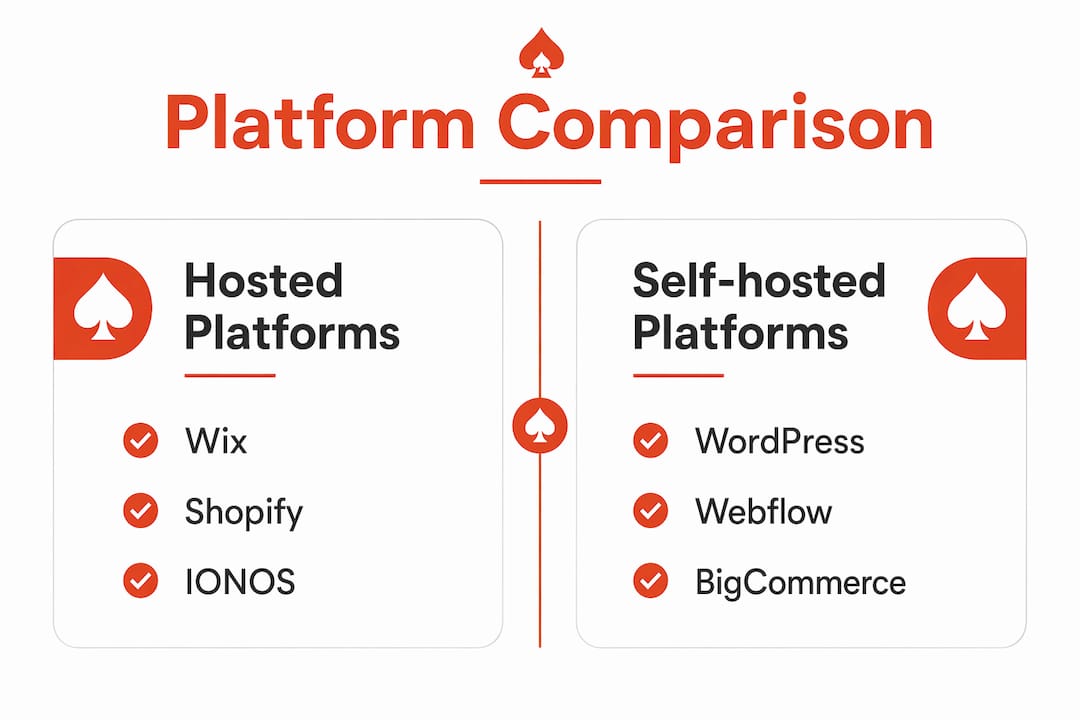
For most UK small businesses, the best Squarespace alternatives are Ace-sites (managed, fast to launch), Wix (marketing tools, large template library), Shopify (dedicated e-commerce), and self-hosted WordPress (unlimited customisation). Webflow suits designers, IONOS suits tight budgets, and BigCommerce suits high-volume sellers.
The right choice comes down to four things: how quickly you need to go live, whether you're selling products or services, how much you want to manage yourself, and what you'll actually pay once transaction fees are included.
- Local service business (plumber, salon, therapist): Ace-sites or IONOS. Fast launch, transparent pricing, no technical fuss.
- Portfolio or creative brand: Wix or Webflow. Strong design options, plenty of templates.
- Online shop: Shopify or BigCommerce. Purpose-built for selling, with proper UK payment support.
- Rapid MVP or test site: Wix free plan or IONOS entry tier. Get something live today.
Table of Contents
- How do these Squarespace alternatives compare at a glance?
- Which platform is right for you? Profiles of the top alternatives
- Why do UK business owners look for Squarespace alternatives?
- How to choose the right website builder for your business
- When does a managed website service make the most sense?
- Key takeaways
- Why Ace-sites often suits UK small businesses better than a DIY migration
- Ace-sites: a fast, supported alternative to Squarespace
- Useful sources and further reading
How do these Squarespace alternatives compare at a glance?
| Platform | Best for | Ease of use | Pricing range (monthly) | E-commerce & UK payments | Customisation | Hosting/ownership | SEO & performance | UK support | Time to launch | Total cost of ownership |
|---|---|---|---|---|---|---|---|---|---|---|
| Ace-sites | Local service businesses | Very easy | Low monthly subscription | Contact forms, booking embeds; no hidden transaction fees | Branded templates, visual editor | Fully hosted; managed | Built-in SEO tools | UK-based | Under a day | Low; no add-on fees |
| Wix | Marketing-led businesses | Easy | £13–£119/month | Stripe, PayPal; no platform transaction fees on paid plans | 2,500+ templates, drag-and-drop | Hosted; limited export | Strong; AI visibility tools | Email, chat, 24/7 callbacks | 1–3 days | Medium; add-ons cost extra |
| Shopify | Dedicated online shops | Moderate | £19–£259/month | Shopify Payments (waives fees), Stripe, PayPal | App store; theme-based | Hosted; exportable | Good | 24/7 chat and email | 2–5 days | Higher; transaction fees if not using Shopify Payments |
| WordPress (self-hosted) | Flexible, content-heavy sites | Steep | Hosting from ~£3–£20/month + plugins | Any gateway via plugin | Unlimited via plugins/themes | Self-hosted; you own everything | Excellent with plugins (Yoast, RankMath) | Community; host-dependent | 1–4 weeks | Variable; plugin and hosting costs add up |
| Webflow | Designers and agencies | Steep | £14–£212/month | Stripe, PayPal | Pixel-level control | Hosted; exportable HTML/CSS | Strong | Email and chat | 1–3 weeks | Medium-high |
| IONOS | Budget-conscious starters | Very easy | From £1/month (intro offer) | Stripe, PayPal; booking tool included | Limited but functional | Hosted | Decent | Phone and chat (UK hours) | Under a day | Very low |
| BigCommerce | High-volume e-commerce | Moderate | £25–£300+/month | All major gateways; no platform transaction fees | Theme-based; API access | Hosted; exportable | Strong | 24/7 chat and phone | 3–7 days | Medium; scales with revenue |
Quick reading tips for UK owners:
- Always check whether pricing is quoted in USD or GBP. Several platforms bill in dollars, so your actual monthly cost depends on the exchange rate.
- Confirm whether transaction fees apply on your chosen plan tier, not just the headline plan. Hidden transaction surcharges can add 1–3% on top of your payment gateway fees.
- Ask about UK support hours before committing. Some platforms offer 24/7 cover; others are US-hours only.
Which platform is right for you? Profiles of the top alternatives
Ace-sites
Ace-sites is a fully hosted website platform built specifically for UK local businesses. You get a visual editor, mobile-optimised templates, built-in SEO tools, a blog manager, contact forms, booking widget embeds, an announcement bar, and a pop-up builder. There's an optional done-for-you design service, so you can hand the whole build over if you'd rather focus on running your business.
Pros: Fast to launch (under a day); no hidden fees; UK-focused; managed option available; built-in SEO without plugins. Cons: Less suited to large product catalogues; fewer third-party integrations than open platforms. Pricing: Low monthly subscription; optional one-time fee for bespoke design. Who should pick this: Any UK service business, trades, salons, therapists, or local shops that want a professional site live quickly without touching code. The done-for-you option is particularly strong if your time is limited.
Wix
Wix is a hosted, drag-and-drop builder with over 2,500 templates and a broad marketing suite covering email campaigns, social posting, and a CRM. It has a free plan (with Wix branding) and paid plans from around £13/month. Its freeform editor gives you genuine design freedom, though open-canvas editors can create mobile layout issues that need manual fixes after publishing.

Pros: Huge template library; strong marketing tools; free plan to test; 24/7 phone callbacks. Cons: Design debt risk on mobile; costs rise with add-ons; exporting your site is restricted. Pricing: Free plan available; paid plans roughly £13–£119/month. Who should pick this: Businesses that want an all-in-one marketing hub and a large template selection to start from.
Shopify
Shopify is purpose-built for selling. On its entry plan you get store analytics, shipping tools, customer segmentation, and e-commerce automations. It supports Stripe, PayPal, and its own Shopify Payments processor, which waives platform transaction fees for UK sellers. Specialised e-commerce platforms consistently outperform general builders for high-volume product sales.

Pros: Best-in-class e-commerce tools; no transaction fees with Shopify Payments; 8,000+ integrations. Cons: Pricier than general builders; overkill for service-only sites; transaction fees apply if you use external gateways. Pricing: Approximately £19–£259/month. Who should pick this: UK businesses with a product catalogue and serious selling ambitions.
WordPress (self-hosted)
Self-hosted WordPress is free to download; you pay for hosting (typically £3–£20/month) and any premium plugins or themes. You own your data entirely and can switch hosts freely. The trade-off is a steeper learning curve and ongoing maintenance. Unlimited customisation is WordPress's defining strength, but it comes with the responsibility of managing updates, security, and backups yourself.
Pros: Total ownership; unlimited plugins; excellent SEO capability (Yoast, RankMath); no platform lock-in. Cons: Steepest learning curve; maintenance overhead; plugin costs accumulate. Pricing: Hosting from ~£3–£20/month plus plugins and themes. Who should pick this: Businesses with technical resource or a developer on hand, and those who need a content-heavy or highly customised site.
Webflow
Webflow gives designers pixel-level control over layout, animations, and interactions. It exports clean HTML and CSS, making it genuinely portable. The learning curve is steep: if terms like "flexbox" or "overflow" are unfamiliar, Webflow will frustrate rather than help.
Pros: Designer-grade control; clean code export; strong collaboration tools for agencies. Cons: Not beginner-friendly; higher price point; overkill for simple service sites. Pricing: Approximately £14–£212/month. Who should pick this: Web designers, creative agencies, and technically confident founders who need full visual control.
IONOS
IONOS offers one of the lowest entry prices on the market, with introductory plans from £1/month that include a free domain, professional email, an AI website builder, and an integrated booking tool. UK phone and chat support is available, which is a genuine differentiator at this price point.
Pros: Very low cost; UK phone support; booking tool included; quick to launch. Cons: Limited design flexibility; fewer integrations; templates feel basic compared to premium builders. Pricing: From £1/month (introductory); standard rates higher after the first year. Who should pick this: Sole traders and micro-businesses that need a simple, credible web presence on a minimal budget.
BigCommerce
BigCommerce is an enterprise-grade hosted platform with no platform transaction fees on any plan. It supports all major payment gateways and offers strong API access for custom integrations. It's more complex than most small businesses need at the start, but it scales well.
Pros: No transaction fees; strong multi-channel selling; robust API. Cons: Expensive for early-stage businesses; complex setup; annual sales thresholds trigger plan upgrades. Pricing: Approximately £25–£300+/month. Who should pick this: Growing UK retailers expecting significant sales volume who need a platform that won't limit them.
Why do UK business owners look for Squarespace alternatives?
The most common reasons UK owners start looking elsewhere:
- Transaction fees. Squarespace's entry plan charges a 2% commerce transaction fee on top of card processing costs. For a business doing £5,000/month in sales, that's £100/month before gateway fees.
- Template rigidity. Squarespace's structured grid editor is polished but restrictive. Owners who want a layout that doesn't fit the grid hit a wall quickly.
- Limited marketing tooling. Email marketing and appointment scheduling are paid add-ons, not included features.
- No free plan. There's only a 14-day trial, which isn't long enough to properly evaluate the platform.
- Exportability concerns. Moving away from Squarespace means rebuilding layouts manually. Migration typically takes 4–8 hours for a simple 10-page site, and more for e-commerce stores.
- Ongoing maintenance time. Business owners consistently underestimate the time cost of managing a website — SEO upkeep, performance checks, and support queries add up.
The platform choice that solves one of these problems often introduces another. That's why matching the platform to your growth stage matters more than chasing the cheapest headline price.
How to choose the right website builder for your business
Decision checklist
- Clarify your primary goal. Selling products, booking appointments, or building credibility? Each points to a different platform type.
- Estimate your traffic and sales volume. Low volume suits simpler hosted builders; high volume needs a platform built for scale.
- Confirm GBP billing and UK payment gateways. Always verify local payment support before signing up.
- Check storage limits. Storage caps as low as 2GB become a problem fast for image-heavy sites or product catalogues.
- Test the mobile view. Publish a test page and check it on your phone immediately. Freeform editors often need 1–3 hours of mobile fixes after the initial build.
- Ask about export options. If you can't export your content, you're tied to that platform indefinitely.
- Run the total cost of ownership. Add monthly plan + transaction fees + add-ons + your own time. The cheapest plan is rarely the cheapest option.
Questions to ask suppliers
- What are your UK support hours, and is phone support available?
- What happens to my data if I cancel?
- Are there transaction fees, and on which plan tiers?
- What is the storage limit on my plan?
- Do you offer migration assistance from Squarespace?
Red flags
- Fees that only appear in the small print after sign-up.
- No UK payment gateway support (Stripe or PayPal at minimum).
- Storage limits under 5GB for a product or portfolio site.
- No clear data export path.
Typical timelines and costs for a UK small-business site
For a 5–10 page site, budget roughly:
- DIY on a hosted builder: 1–3 days of your own time; £10–£40/month ongoing. See our small business website cost guide for a fuller breakdown.
- Self-hosted with a contractor: 2–6 weeks; £500–£3,000 upfront plus hosting.
- Managed/done-for-you: Under a day to a few days; low monthly subscription with no hidden build cost.
When does a managed website service make the most sense?
The honest answer: when time, trust, or technical confidence is the limiting factor, a managed option almost always delivers faster results than a DIY build.
Local trades, appointment-based services, multi-location SMEs, and owners with no spare hours are the clearest cases. If you're a plumber who needs a site live this week, or a salon owner who doesn't want to spend evenings learning a website editor, the DIY route costs more in time than it saves in money.
Ace-sites is built for exactly this situation. You get a professional, mobile-optimised site with built-in SEO tools, a blog manager, contact forms, and booking widget embeds. The platform handles hosting, SSL, and performance. You focus on your customers.
Proof points:
- Live in under a day, with no technical expertise required.
- Built-in SEO tools and a blog manager included as standard.
- Optional done-for-you design service: Ace-sites builds the site for you.
- Transparent monthly pricing with no hidden fees.
- Mobile-optimised templates designed for service businesses.
Pro Tip: Before committing to any platform, check whether a low-maintenance website approach fits your situation. For most service businesses, less ongoing management means more time for actual work.
The growth stage insight from Zapier's research holds here: early-stage owners benefit most from speed and simplicity; growth-stage businesses can afford the time to configure a deeper ecosystem. Don't over-engineer your first site.
Key takeaways
For most UK small businesses, the best Squarespace alternative is the one that matches your growth stage, keeps total costs transparent, and gets you live without weeks of setup.
| Point | Details |
|---|---|
| Match platform to growth stage | Early-stage businesses benefit from fast, managed options; growing businesses may need deeper marketing ecosystems. |
| Watch total cost of ownership | Transaction fees of 1–3% on top of gateway costs compound quickly; always model the full monthly cost before choosing. |
| Migration takes real time | Moving from Squarespace typically requires 4–8 hours for a simple 10-page site; plan and budget for it. |
| Check UK-specific practicalities | Confirm GBP billing, UK support hours, and local payment gateways (Stripe, PayPal) before signing up. |
| Ace-sites suits local service businesses | Fast launch, transparent pricing, built-in SEO, and a done-for-you option make it a strong fit for UK service providers. |
Why Ace-sites often suits UK small businesses better than a DIY migration
The conventional wisdom says: pick a platform, watch some tutorials, and build it yourself. For many business owners, that advice costs more than it saves.
The real problem isn't the platform. It's the ongoing time cost: updating content, fixing mobile layouts, chasing SEO improvements, and troubleshooting integrations. Maintenance and support quality matter more long term than template counts, and most owners don't factor that in when they choose a builder.
Ace-sites removes most of that overhead. The platform is built for service businesses that need a credible, fast-loading site without a developer on retainer. The done-for-you option means you can see your finished site before you pay anything. That's a genuinely different proposition from a DIY builder where you carry all the risk.
That said, test your options. If you have the time and enjoy the process, Wix or WordPress may suit you well. But if you'd rather spend that time on your actual business, a managed approach is worth the comparison.
Ace-sites: a fast, supported alternative to Squarespace
If you've read this far and the DIY route still sounds like hard work, Ace-sites is worth a proper look. It's built for UK local businesses that need a professional site live quickly, with no hidden costs and no technical headaches.
You get built-in SEO tools, a blog manager, mobile-optimised templates, contact forms, and booking widget embeds as standard. The features page covers everything included. And if you'd rather hand the build over entirely, the done-for-you service means Ace-sites creates your site first. You only pay once you've seen it and you're happy with it.
Ready to see what your site could look like? Visit ace-sites.co.uk and get your free website build started today.
Useful sources and further reading
- Zapier: Wix vs Squarespace — Detailed feature-by-feature comparison covering marketing tools, pricing, and growth-stage guidance.
- ZDNet: Wix vs Squarespace compared — Practitioner testing focused on mobile optimisation, transaction fees, and ongoing maintenance costs.
- MakingThatWebsite: Squarespace vs Wix — Honest assessment of migration effort, storage limits, and the real time cost of self-managed sites.
- Design Revision: Squarespace alternatives compared — Market survey of specialist alternatives by strength: Webflow, Shopify, WordPress, and budget builders.
- Ace-sites portfolio — Real UK business websites built on Ace-sites, useful for seeing what a managed build actually looks like.