
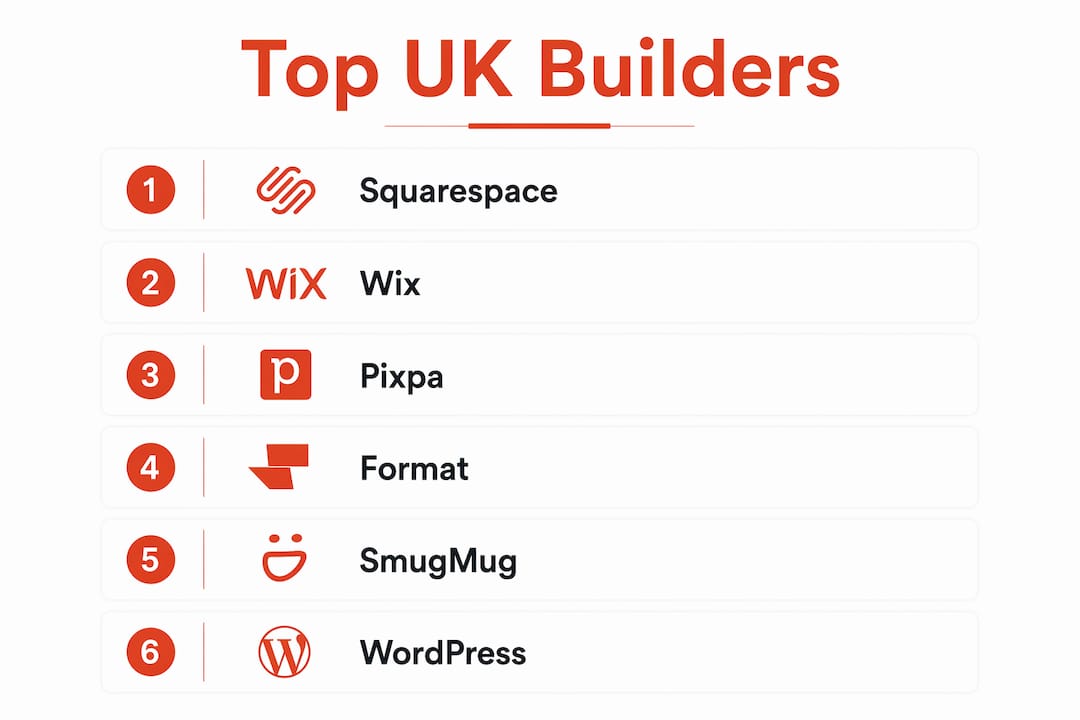
Squarespace, Wix, Pixpa, Format, SmugMug, and WordPress are the best photography website builders available to UK photographers right now. Each earns its place for a different reason:
- Squarespace — best for design-led portfolios with advanced SEO and appointment booking
- Wix — best all-rounder for photographers who want to sell, share galleries, and manage bookings in one place
- Pixpa — best value all-in-one platform with built-in client proofing, zero-commission selling, and 24/7 live support
- Format — best for running a photography business, with watermarking, copyright controls, and proofing built in
- SmugMug — best for print sales and client image delivery
- WordPress — best for experienced users who want unlimited customisation and are comfortable managing plugins
The right choice depends on your business model. A wedding photographer selling prints needs different tools than a commercial photographer sharing proofing galleries with agency clients.
How do these builders compare side by side?
Six platforms, one table. Here is how they stack up across the dimensions that matter most to photographers.
| Platform | Design aesthetics | Ease of use | Photography features | UK pricing | Support | Best for |
|---|---|---|---|---|---|---|
| Squarespace | Excellent | Moderate | Booking, ecommerce, SEO | — | Email + live chat | Design-focused portfolios |
| Wix | Very good | Easy | Galleries, selling, booking | Free tier; paid plans available | 24/7 chat + phone | All-round business use |
| Pixpa | Very good | Easy | Client proofing, store, blog | — | 24/7 live human chat | Affordable all-in-one |
| Format | Good | Easy–moderate | Watermarks, proofing, galleries | Tiered plans | Email + chat | Business-focused photographers |
| SmugMug | Good | Moderate | Print sales, client delivery | Tiered plans | Email + chat | Print sellers |
| WordPress | Unlimited | Complex | Via plugins only | Hosting costs vary | Community + paid | Advanced customisers |
Wix's free plan limits storage to 500MB and bandwidth to 1GB, which is not enough for a professional portfolio. Paid plans unlock the features that actually matter. Mobile responsiveness and built-in SEO tools are standard across all paid tiers on every platform listed above.
Detailed reviews of each top photography website builder
Squarespace
Squarespace is the go-to for photographers who want their site to look exceptional without hiring a designer. Its templates are genuinely striking, built around full-bleed imagery and clean typography that lets your photos do the talking. Beyond aesthetics, it offers flexible ecommerce and booking tools that suit portrait and wedding photographers who take appointments. SEO controls are more advanced than most builders at this price point. The trade-off is a moderate learning curve; it rewards the time you put in.
Pros: Beautiful templates, strong ecommerce, advanced SEO, appointment scheduling Cons: Pricier than Pixpa or Wix, steeper learning curve than drag-and-drop builders
Wix
Wix is the platform that genuinely does it all. Portfolio pages, client galleries, online selling, booking widgets — it is all there without needing a single external plugin. Wix's all-in-one feature set makes it particularly strong for photographers who want to manage their whole business from one dashboard. The drag-and-drop editor is one of the most intuitive available. Just avoid the free plan for professional use; the storage and bandwidth caps make it impractical.

Pros: Easiest editor, comprehensive toolkit, strong free trial Cons: Free plan too limited for professional portfolios, template switching requires a rebuild
Pixpa
Pixpa is purpose-built for creative professionals, and it shows. Portfolio website, client galleries with proofing and delivery, an online store with zero commissions, and a blog all run from a single platform at one price. No plugins. No second logins. No commission taken on your sales. It holds a 4.7/5 rating on Capterra from over 585 users, and its 24/7 live human support (not a chatbot) is consistently cited as a key differentiator. For UK photographers who currently pay separately for a website builder, a client gallery tool, and a selling platform, Pixpa consolidates all three at a lower combined cost.
Pros: True all-in-one, zero commission, 24/7 live chat, 200+ templates, free domain on annual plans Cons: Less design flexibility than Squarespace or WordPress
Format
Format focuses squarely on the business side of photography. Watermarking, copyright protection, client proofing galleries, and an online store are all built in. Its customer support team has backgrounds in photography and design, which means you get genuinely useful help rather than generic technical responses. The editor suits photographers at every skill level, from those who want a ready-made theme to those who want to edit CSS directly.
Pros: Watermarking and copyright tools, photography-literate support team, proofing built in Cons: Fewer templates than Squarespace or Pixpa
SmugMug
SmugMug specialises in image hosting, print sales, and client delivery. If selling prints, wall art, and merchandise is central to your business, it is hard to beat. Client galleries are polished and easy for clients to navigate. Where it falls short is website customisation; the design options are more limited than Squarespace or Wix, so it suits photographers who prioritise sales infrastructure over visual flexibility.
Pros: Strong print-on-demand, clean client galleries, digital download options Cons: Limited design customisation, less suited to portfolio-only sites
WordPress
WordPress offers unlimited customisation, but that freedom comes at a cost. You need hosting, regular maintenance, security updates, and multiple plugins to replicate what Pixpa or Format include by default. Specialist platforms reduce the need for third-party plugins, which lowers security risk and simplifies day-to-day management. WordPress makes sense if you already know your way around it, or if you need functionality that no other builder can provide.
Pros: Unlimited flexibility, vast plugin library, no platform lock-in Cons: Requires technical knowledge, ongoing maintenance, plugin costs add up
How to choose the right photography website builder for your needs
Your business model should drive the decision, not the platform's marketing. Here is a practical framework:
- Portfolio only: Squarespace or Wix give you the best-looking results with the least friction.
- Client proofing and galleries: Pixpa and Format include this natively. Squarespace and Wix require third-party tools.
- Print and product sales: SmugMug and Pixpa are built for this. Wix handles it well too.
- Tight budget: Pixpa's entry pricing is the lowest of the specialist platforms, and it includes features that cost extra elsewhere.
- Maximum customisation: WordPress, if you have the technical confidence.
Pro Tip: Do not let pricing be the deciding factor if you are just starting out. Live customer support is worth more than a few pounds saved per month when a technical problem threatens a client deadline.
Testing a platform before committing is straightforward. Squarespace, Wix, and Pixpa all offer free trials. Format has a free plan. Use the trial period to upload your actual images and test the client gallery workflow, not just the homepage template. For a broader look at modern web design principles that apply across all these platforms, it is worth reading up before you build.
Mobile responsiveness and SEO are non-negotiable for photographer websites in 2026. Every platform above delivers both on paid plans. What varies is how much control you get over SEO settings; Squarespace and WordPress offer the most granular options.
What the experts say about photography website builders
A few consistent themes emerge from professional testing and user reviews across these platforms:
- Specialist photography platforms reduce complexity by integrating portfolio, client galleries, and ecommerce without external plugins, which also lowers security risk.
- Prompt, live human support is consistently ranked as more valuable than minor price differences, particularly for photographers whose client work depends on the site functioning correctly.
- Pixpa's 4.7/5 Capterra rating from over 585 users reflects strong satisfaction with its all-in-one approach and support quality.
- Underestimating free plan limits leads to costly upgrades and site migrations that disrupt SEO rankings and client trust.
- Photographers who choose a builder based on their business model rather than design alone report better long-term satisfaction.
- All-in-one platforms consistently score higher in user reviews for ease of use, feature completeness, and support quality.
For photographers thinking about the technical side of getting a site live quickly, this step-by-step guide to website builders covers the practical setup process clearly.
Key takeaways
The single most important decision is matching the platform to your business model: a photographer selling prints needs different tools than one sharing proofing galleries.
| Point | Details |
|---|---|
| Match platform to business model | Choose based on whether you need print sales, client proofing, or portfolio-only display. |
| Specialist platforms reduce complexity | Built-in client galleries and stores remove the need for plugins and lower security risk. |
| Free plans have real limits | Wix's free tier caps storage at 500MB and bandwidth at 1GB, making it unsuitable for professional use. |
| Live support matters more than price | Technical issues during client work cost more than the difference between plan tiers. |
| Ace-sites for UK photographers | Ace-sites offers a done-for-you build with built-in SEO, booking widgets, and no hidden costs for UK professionals. |
The trade-off nobody talks about honestly
Most reviews frame the choice as design versus features. The real tension is between control and maintenance. Squarespace and Pixpa give you a polished result without ongoing technical work. WordPress gives you everything, but you are also responsible for everything: updates, security patches, plugin conflicts. For most working photographers in the UK, that maintenance overhead is invisible until something breaks at the worst possible moment. The platforms that win long-term are the ones that stay out of your way. Pixpa and Format are built specifically so that photographers can focus on shooting, not on managing a website. Squarespace and Wix get close to that for general users. WordPress does not, unless you have technical support behind you.
A simpler route to your photography website
If the comparison above feels like a lot to navigate, Ace-sites offers a different starting point. Rather than choosing a platform and building from scratch, you can get a professionally built website with no upfront cost. You only pay once you have seen and approved the result.
Ace-sites builds sites with custom branding, built-in SEO tools, booking widget embeds, and mobile-optimised templates. Everything is handled for you, with no hidden costs and no technical knowledge required. It is a practical option for UK photographers who want a professional online presence without spending weeks learning a new platform. See what Ace-sites builds for real businesses before you decide.